Table of Contents
Introduction
Smart glasses are no longer just futuristic gadgets. In 2026, they have become more practical for everyday use, offering features like hands-free calls, open-ear audio, AI assistance, photo and video capture, live translation, voice control, notifications, and even private wearable displays for movies and gaming.
The best smart glasses are designed to look and feel more like regular eyewear while adding useful technology into the frame. Some models are great for content creators who want hands-free video recording. Some are better for Alexa users who want voice control and open-ear audio. Others are ideal for travelers, students, remote workers, or people who want a private big-screen display without carrying a monitor.
However, choosing the right smart glasses can be confusing because different models serve very different purposes. Camera-based AI glasses are not the same as AR display glasses. Audio smart glasses are not the same as gaming XR glasses. Some are better for walking around, while others are better for sitting on a couch, using a laptop, or watching content privately.
In this 2026 updated guide, we review the top 5 best smart glasses for everyday use so you can choose the right pair for your lifestyle, budget, and daily needs.
Quick Comparison: Best Smart Glasses for Everyday Use 2026
| Rank | Product | Best For |
|---|---|---|
| 1 | Ray-Ban Meta Gen 2 Smart Glasses | Best overall smart glasses |
| 2 | Amazon Echo Frames 3rd Gen | Best smart glasses for Alexa users |
| 3 | Solos AirGo 3 Smart Glasses | Best AI smart glasses for translation and voice assistance |
| 4 | XREAL Air 2 Pro AR Glasses | Best wearable display smart glasses |
| 5 | VITURE Pro XR Glasses | Best premium XR glasses for entertainment and gaming |
1. Ray-Ban Meta Gen 2 Smart Glasses — Best Overall Smart Glasses
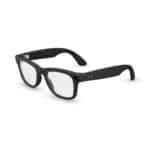 The Ray-Ban Meta Gen 2 Smart Glasses are one of the best smart glasses for everyday use because they combine familiar Ray-Ban styling with practical smart features. They are designed for people who want smart glasses that actually look like normal glasses instead of bulky tech gear.
The biggest advantage of Ray-Ban Meta Gen 2 is that they are useful in many daily situations. You can take hands-free photos and videos, listen to music or podcasts, make calls, use voice commands, and interact with Meta AI. For creators, travelers, vloggers, parents, and everyday users, the hands-free camera is one of the most useful features.
The Gen 2 model improves on earlier versions with better video quality, longer battery life, and more advanced AI features. It can capture 3K Ultra HD video and still uses a 12MP ultra-wide camera for photos. This makes it especially useful for quick life moments, travel clips, food videos, outdoor walks, and social content.
Another major benefit is style. These glasses come in popular Ray-Ban frame designs such as Wayfarer, Headliner, and Skyler. That makes them easier to wear in public compared with many bulky AR glasses. They look like fashionable eyewear first and smart tech second.
The open-ear speakers are also convenient. You can listen to calls, music, podcasts, or directions while still hearing your surroundings. This is useful while walking, commuting, cooking, or working around the house.
Privacy is one thing to consider. Since these glasses include a camera, users should be responsible and respectful when recording. They are excellent for personal use and content creation, but they should never be used to record people secretly.
Key Features: 12MP ultra-wide camera, 3K video recording, Meta AI support, open-ear audio, hands-free calls, voice control, stylish Ray-Ban frames, charging case, and everyday wearable design.
Why We Like It: Ray-Ban Meta Gen 2 is the best overall choice because it offers the most complete everyday smart glasses experience. It combines style, camera, audio, AI, and daily convenience in one wearable product.
What Could Be Better: The camera raises privacy concerns, and battery life depends heavily on how often you record video or use audio. People who only want audio may prefer Echo Frames.
Best For: Content creators, travelers, social media users, parents, commuters, everyday capture, calls, music, and AI assistance.
2. Amazon Echo Frames 3rd Gen — Best Smart Glasses for Alexa Users
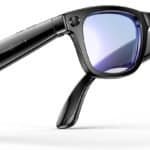 The Amazon Echo Frames 3rd Gen are the best smart glasses for people who already use Alexa at home. Unlike Ray-Ban Meta, these glasses do not focus on photography or video. Instead, they are designed for voice control, open-ear audio, calls, notifications, and smart-home convenience.
If you use Echo speakers, Alexa routines, smart lights, plugs, thermostats, or Amazon Music, Echo Frames can fit naturally into your daily routine. You can ask Alexa to play music, make calls, set reminders, check the weather, control smart home devices, or add items to a shopping list without pulling out your phone.
One of the biggest advantages is that Echo Frames are more privacy-friendly than camera glasses because they do not include a camera. This makes them a better choice for users who want smart features but do not want to wear camera-equipped glasses in public.
The open-ear audio design lets you hear music, podcasts, audiobooks, and calls while still staying aware of your surroundings. This is useful for walking, cooking, cleaning, commuting, or working at home. The third-generation model also improved comfort, audio quality, and battery life compared with earlier versions.
Echo Frames are best for people who want smart glasses that behave more like wearable Alexa earbuds inside a glasses frame. They are not ideal if you want AR visuals or video recording, but they are excellent for hands-free voice assistance.
Key Features: Alexa built-in, open-ear audio, hands-free calls, smart-home control, notifications, no camera, multiple frame styles, polarized and blue-light lens options, and everyday voice assistant use.
Why We Like It: Echo Frames are simple, useful, and privacy-friendly. They are perfect for Alexa users who want smart glasses without cameras or complicated AR features.
What Could Be Better: They do not have a camera, display, or advanced AI vision features. Music quality is convenient but not as immersive as good earbuds or headphones.
Best For: Alexa users, smart home control, hands-free reminders, calls, podcasts, audiobooks, walking, cooking, and privacy-conscious buyers.
3. Solos AirGo 3 Smart Glasses — Best AI Smart Glasses for Translation and Voice Assistance
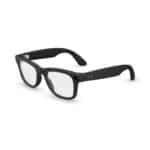 The Solos AirGo 3 Smart Glasses are a strong choice for users who want AI-powered assistance in a lightweight eyewear design. These glasses are especially interesting for people who want voice-based AI, translation features, reminders, and hands-free interaction without needing a camera-heavy pair of glasses.
Solos AirGo 3 is known for integrating AI assistant features, including ChatGPT-powered functionality on supported models. This makes them useful for asking questions, getting quick information, managing tasks, checking reminders, and using translation tools while on the go.
These glasses are designed more around audio and AI than visual AR. That means they are better for everyday wear than bulky display glasses. They can be helpful for travelers, students, office workers, and people who like voice assistance but do not always want to hold a phone.
One of the best use cases is travel. If you are visiting a new city or country, smart glasses with translation and audio assistance can be very useful. You can ask questions, listen to directions, and use supported language features while keeping your hands free.
The design is also more normal-looking than many XR display glasses. That makes them easier to wear in public, especially if you want smart features in a traditional glasses style.
Key Features: AI voice assistance, ChatGPT-supported features on compatible models, translation tools, open-ear audio, Bluetooth connectivity, USB-C charging, lightweight frames, and daily wearable design.
Why We Like It: Solos AirGo 3 is a great pick for users who want AI-focused smart glasses without needing a camera or display-heavy design. It is practical for travel, work, and daily voice assistance.
What Could Be Better: It does not offer the same camera features as Ray-Ban Meta or the same big-screen display experience as XREAL or VITURE.
Best For: Travelers, students, AI users, translation support, voice assistance, reminders, calls, and everyday audio smart glasses.
4. XREAL Air 2 Pro AR Glasses — Best Wearable Display Smart Glasses
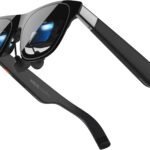 The XREAL Air 2 Pro AR Glasses are the best option if your main goal is a wearable display. These are not everyday camera glasses like Ray-Ban Meta and not voice-assistant glasses like Echo Frames. Instead, they work like a portable screen you wear on your face.
XREAL Air 2 Pro glasses are great for watching movies, using a phone, gaming, connecting to a laptop, or creating a private display while traveling. They can be especially useful for people who want a big-screen experience without carrying a monitor or sitting in front of a TV.
The display experience is the main reason to buy them. XREAL Air 2 Pro uses Micro-OLED display technology and supports high refresh rates for smooth visuals. The glasses also include electrochromic dimming, which lets you adjust the level of outside light. This makes them more flexible for different lighting environments.
For everyday use, these glasses are best in seated situations. For example, you can use them on a plane, train, couch, bed, hotel room, or desk. They are not ideal for walking around outdoors because they are mainly display glasses, not normal lifestyle glasses.
They are especially good for people who travel often and want a portable entertainment setup. If you use a compatible phone, laptop, handheld gaming console, or adapter, they can turn a small screen into a much larger virtual viewing experience.
Key Features: Wearable Micro-OLED display, 1080p-per-eye style viewing experience, high refresh rate support, electrochromic dimming, USB-C DisplayPort connection, lightweight frame, and large virtual screen experience.
Why We Like It: XREAL Air 2 Pro is the best wearable display choice because it gives users a private big-screen experience in a portable form factor.
What Could Be Better: It is not ideal for walking around or social use. Compatibility depends on your phone, laptop, console, or adapter setup.
Best For: Movies, gaming, travel entertainment, laptop extension, private viewing, handheld consoles, and users who want a portable display.
5. VITURE Pro XR Glasses — Best Premium XR Glasses for Entertainment and Gaming
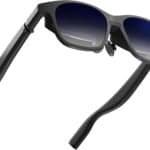 The VITURE Pro XR Glasses are a premium choice for users who want smart glasses mainly for entertainment, gaming, streaming, and productivity. Like XREAL, these are wearable display glasses rather than traditional camera or audio smart glasses.
The biggest appeal of VITURE Pro XR is the premium viewing experience. These glasses are designed to give users a large virtual screen for movies, games, laptops, phones, and handheld gaming devices. They are especially popular with users who want to connect to devices like Steam Deck, Nintendo Switch, smartphones, laptops, and other compatible USB-C devices.
VITURE Pro XR is a great choice for people who travel often or live in small spaces. Instead of needing a TV or external monitor, you can use the glasses to enjoy a private screen almost anywhere. This makes them useful for flights, hotel rooms, dorm rooms, bedrooms, and gaming setups.
They also include features like electrochromic dimming, high brightness, and adjustable viewing support depending on model. This makes them feel more premium than basic display glasses.
For everyday use, they are best for people who spend time watching content or gaming. They are not the best option for walking around, taking photos, or using voice AI in public. But for entertainment, they are one of the strongest options.
Key Features: Premium XR display, large virtual screen, high refresh rate support, electrochromic dimming, entertainment and gaming focus, USB-C device compatibility, and portable private viewing.
Why We Like It: VITURE Pro XR is the best premium entertainment pick because it is designed for people who want a high-quality wearable display for movies, gaming, and travel.
What Could Be Better: It is expensive and not as useful for everyday walking, social use, or hands-free camera capture. It is more of a portable display than a lifestyle smart-glasses product.
Best For: Gaming, movies, travel entertainment, Steam Deck users, laptop users, private screen viewing, and premium XR buyers.
How to Choose the Best Smart Glasses for Everyday Use
When choosing smart glasses, the first thing to decide is what you actually want them to do. Smart glasses are not all the same.
If you want to record videos, take photos, make calls, and use AI in real life, choose Ray-Ban Meta Gen 2. They are the best all-around option for daily use.
If you want Alexa, smart-home control, reminders, calls, and music without a camera, choose Amazon Echo Frames 3rd Gen. They are simple and privacy-friendly.
If you want AI voice assistance and translation features, choose Solos AirGo 3. They are good for travel, work, and hands-free conversations.
If you want a private screen for movies, gaming, and laptop use, choose XREAL Air 2 Pro or VITURE Pro XR. These are better for seated entertainment than walking around.
You should also consider comfort. Smart glasses need to fit your face properly. If they are too heavy, tight, or bulky, you may stop using them. Everyday smart glasses should look good, feel comfortable, and match your normal routine.
Battery life is another key factor. Camera glasses use more power when recording video. Audio glasses last longer for light use. Display glasses often draw power from a connected device, so your phone or laptop battery may matter too.
Finally, think about privacy. Camera-equipped glasses should be used responsibly. Always respect other people’s privacy and local recording laws.
Final Verdict
If you want the best overall smart glasses for everyday use in 2026, the Ray-Ban Meta Gen 2 Smart Glasses are the top choice. They offer the best mix of style, AI, camera, open-ear audio, and daily convenience.
If you want smart glasses without a camera, the Amazon Echo Frames 3rd Gen are excellent for Alexa users. If you want AI voice help and translation, the Solos AirGo 3 is a strong option. If you want a private wearable display for movies and gaming, the XREAL Air 2 Pro is a great pick. And if you want a premium XR entertainment setup, the VITURE Pro XR Glasses are worth considering.
Smart glasses are still evolving, but in 2026 they are much more practical than before. Whether you want hands-free content capture, voice assistance, open-ear audio, translation, or private entertainment, there is now a smart-glasses option for almost every type of user.
FAQs About Smart Glasses
What are the best smart glasses for everyday use in 2026?
Ray-Ban Meta Gen 2 is the best overall choice because it combines stylish eyewear, camera capture, AI features, calls, music, and open-ear audio.
Are smart glasses worth it?
Yes, smart glasses can be worth it if you use their features regularly. They are especially useful for calls, audio, content capture, AI assistance, translation, travel, and private entertainment.
Do all smart glasses have cameras?
No. Ray-Ban Meta has a camera, but Amazon Echo Frames and many audio-focused glasses do not. Display glasses like XREAL and VITURE are mainly wearable screens.
Which smart glasses are best for privacy?
Amazon Echo Frames are more privacy-friendly because they do not include a camera. Camera glasses should always be used responsibly.
Which smart glasses are best for movies and gaming?
XREAL Air 2 Pro and VITURE Pro XR are better for movies and gaming because they work like wearable displays.
Can smart glasses replace a phone?
Not yet. Smart glasses are best as phone accessories, not full phone replacements. Most still rely on a smartphone, app, or connected device.
Which smart glasses are best for travel?
Ray-Ban Meta is great for travel photos and videos, Solos AirGo 3 is useful for translation and AI assistance, and XREAL or VITURE are great for private entertainment on flights or hotel stays.