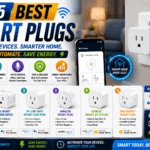
Smart plugs are among the easiest ways to add automation to a home, but models with energy monitoring are much more useful than basic on/off switches. They can show how much electricity a lamp, television, dehumidifier, fan, coffee maker, or other compatible appliance consumes. That information can help you identify energy waste, estimate running costs, and build schedules around your daily routine.
The best smart plugs with energy monitoring combine clear usage data with dependable connectivity, a suitable electrical rating, useful automations, and broad smart-home compatibility. Some prioritize an approachable app, while others provide local controls, scripting, or integration with a whole-home energy monitor.
This guide compares five strong options for different households. Product specifications and app features can change, so verify the current listing, plug type, certifications, and load limits before ordering.
Table of Contents
Quick Comparison
| Smart plug | Best for | Connectivity | Maximum stated load | Smart-home support |
|---|---|---|---|---|
| Tapo P110M | Best overall | 2.4 GHz Wi-Fi; Bluetooth for setup | 15A / 1,800W resistive | Matter, Apple Home, Alexa, Google Assistant, SmartThings |
| Kasa KP125M | Best for Kasa users | 2.4 GHz Wi-Fi; Bluetooth setup | 15A / 1,800W resistive | Matter, Apple Home, Alexa, Google Assistant |
| Shelly Plug US Gen4 | Best for advanced automation | Wi-Fi, Bluetooth, Zigbee | 15A / 1,800W resistive | Matter, Apple Home, Alexa, Google Home, SmartThings |
| Emporia Smart Plug | Best for energy-focused homes | 2.4 GHz Wi-Fi | 10A continuous; 15A peak for limited use | Alexa, Google Assistant, Emporia app |
| Govee Smart Plug Pro H5086 | Best value multipack | Wi-Fi and Bluetooth | 15A / 1,800W | Alexa, Google Assistant, Govee Home |
1. Tapo P110M — Best Overall
The Tapo P110M offers an unusually complete feature set in a compact body. It tracks real-time and historical energy use, supports electricity-rate input for cost estimates, and includes schedules, timers, auto-off controls, and an away mode. Its Smart Charge Guard can switch off a connected device after power consumption remains below a chosen threshold, while power-protection settings can shut down the outlet when usage exceeds a configured limit.
Matter certification is a major advantage for mixed-platform homes. The plug can integrate with Apple Home, Alexa, Google Assistant, and Samsung SmartThings, while the Tapo app provides the more detailed monitoring and protection features. Local-network control through the Tapo app is another practical benefit when internet access is interrupted.
The compact shape is designed to leave the adjacent receptacle usable. Its published rating is 15A and 1,800W for general or resistive loads, but that does not mean it is appropriate for every heater, motor, or high-startup-current appliance. Always follow both the appliance manual and the plug’s supported-load guidance.
Best for: Buyers who want Matter compatibility, useful energy reports, cost estimates, and safety-oriented automations in one approachable package.
Pros
- Detailed real-time and historical energy monitoring
- Matter support across major ecosystems
- Bill estimation and configurable power protection
- Compact, outlet-friendly design
- Schedules, timers, auto-off, and away mode
Cons
- Uses 2.4 GHz Wi-Fi only
- Advanced energy features are primarily managed in the Tapo app
2. Kasa KP125M — Best for Kasa Smart Homes
The Kasa KP125M is a natural choice for households already using Kasa switches, bulbs, or cameras. It monitors real-time and historical power consumption and can use an entered electricity rate to estimate appliance operating costs. The app also supports schedules, remote control, scenes, grouping, away mode, and power-threshold protection.
Like the Tapo pick, the KP125M is Matter certified and can work across leading smart-home platforms. Its 2.6-by-1.5-inch face is narrow enough for two units to fit in a standard duplex receptacle. The rated maximum is 15A or 1,800W for a general-use resistive load, with separate limitations for motors.
The main reason to choose it over the similar Tapo model is ecosystem preference. If the Kasa app already manages much of your home, keeping new plugs in the same interface reduces setup friction and app clutter.
Best for: Existing Kasa users who want energy data without moving to another product ecosystem.
Pros
- Real-time and historical consumption data
- Matter-certified platform compatibility
- Electricity-cost estimation
- Compact form that preserves the second outlet
- Familiar Kasa scheduling, scenes, and remote control
Cons
- Considerable feature overlap with the Tapo P110M
- Some specialized controls depend on the Kasa app rather than a third-party Matter app
View the Kasa KP125M on Amazon
3. Shelly Plug US Gen4 — Best for Advanced Automation
The Shelly Plug US Gen4 is the most flexible choice in this group. It measures voltage, current, power, energy, and internal temperature. It supports Wi-Fi, Bluetooth, and Zigbee, and it can serve as a Wi-Fi extender, Bluetooth gateway, or Zigbee router in compatible configurations. Matter certification broadens mainstream ecosystem support.
Shelly goes beyond ordinary schedules. The plug provides a built-in web interface, locally stored actions, webhooks, MQTT, and scripting for custom logic. Users can create automations that respond to measured power, time, sunrise or sunset, or data from another service. Protections for overheating, overvoltage, overcurrent, and overpower add another layer of control.
This depth can be excessive for someone who simply wants a lamp timer and a monthly kWh graph. For Home Assistant enthusiasts, tinkerers, and users who favor local automation, however, it offers room to build a far more customized system than a typical consumer smart plug.
Best for: Advanced users who value local controls, multiple protocols, scripting, and detailed electrical measurements.
Pros
- Wi-Fi, Bluetooth, Zigbee, and Matter capabilities
- Measures voltage, current, power, and energy
- Local web interface, MQTT, webhooks, and scripting
- Configurable electrical and temperature protections
- 15A, 1,800W resistive rating
Cons
- More complex than most people need
- Wider body may be less convenient in tight outlet arrangements
View Shelly smart plugs on Amazon
4. Emporia Smart Plug — Best for Whole-Home Energy Tracking
Emporia focuses heavily on energy management. Its smart plug provides continuous real-time tracking in the Emporia app, along with schedules and remote switching. It becomes especially useful when paired with an Emporia Vue whole-home monitor: plug-level measurements can add appliance context to circuit-level data, support peak-demand management, and help use excess solar generation more deliberately.
The most important limitation is its load specification. Emporia lists a 10A maximum continuous load and a 15A peak load for up to one hour per day. That distinction makes it essential to calculate the actual demand of the connected appliance instead of assuming the 1,800W peak figure is suitable for constant operation.
Voice control is available through Alexa and Google Assistant, but this is not the strongest option for Apple Home or Matter-first households. Its appeal is the quality and organization of its energy-management ecosystem.
Best for: Homes already using, or planning to use, the Emporia Vue energy monitor.
Pros
- Strong real-time usage tracking
- Integrates with Emporia’s broader home-energy system
- Useful scheduling and remote control
- Can support solar and peak-demand strategies
- Alexa and Google Assistant control
Cons
- Only 10A for continuous loads
- No advertised Matter or Apple Home support
View the Emporia Smart Plug on Amazon
5. Govee Smart Plug Pro H5086 — Best Value Multipack
The Govee Smart Plug Pro H5086 is a practical choice when several ordinary appliances need monitoring. It is commonly offered in multipacks and provides energy tracking, Wi-Fi plus Bluetooth connectivity, schedules, timers, group control, and remote operation through the Govee Home app.
Alexa and Google Assistant integrations cover the most common voice-control needs. The published 15A, 1,800W rating is suitable for many household loads when used within the manufacturer’s instructions. Govee also includes a physical on/off button, so the outlet remains convenient when a phone or voice assistant is unavailable.
It lacks the cross-platform breadth of Matter-certified alternatives and the advanced local tools found on Shelly. Its strength is simpler: it offers useful monitoring and automation at a compelling per-plug cost, especially for shoppers who already own Govee lights or sensors.
Best for: Monitoring multiple lamps, entertainment devices, or other compatible household appliances at a reasonable cost.
Pros
- Energy monitoring in a budget-friendly multipack
- Wi-Fi and Bluetooth connectivity
- Schedules, countdown timers, and group controls
- Alexa and Google Assistant support
- Physical control button
Cons
- No advertised Matter or Apple Home integration
- Less advanced energy analysis than Emporia or Shelly
View the Govee H5086 on Amazon
How to Choose a Smart Plug With Energy Monitoring
Check the Electrical Rating First
Match the plug’s voltage, maximum current, continuous-load limit, motor rating, and supported load type to the appliance. A 15A headline rating does not automatically approve every 15A device. Motors, compressors, heaters, and appliances with high startup current may have additional restrictions. Never exceed the lowest limit stated by the smart plug, receptacle, circuit, or appliance manufacturer.
Look Beyond Real-Time Watts
Real-time power is useful for seeing what an appliance draws now, while historical kWh data reveals what it consumes over days or months. Cost estimation is convenient when the app accepts your electricity rate. Time-of-use pricing support is even better if your utility charges different rates during peak and off-peak periods.
Choose the Right Ecosystem
Matter improves basic cross-platform control, but a manufacturer’s own app may still be required for detailed energy charts, cost estimates, thresholds, and firmware updates. Check whether the plug works with Apple Home, Alexa, Google Home, SmartThings, Home Assistant, or another platform you already use.
Decide How Much Automation You Need
Most buyers need schedules, timers, remote control, and perhaps an auto-off rule. Advanced users may want local operation, MQTT, webhooks, scripting, or automations triggered by power consumption. Paying for complexity only makes sense if you will use it.
Consider Size and Outlet Placement
A compact plug should leave the second receptacle accessible. Measure clearance when using recessed outlets, surge protectors, or furniture placed close to the wall. Use smart plugs directly in a suitable wall receptacle unless the manufacturer explicitly permits another arrangement.
Safety Tips
- Use the plug indoors unless it carries an appropriate outdoor rating.
- Keep it dry, ventilated, and within its specified temperature range.
- Do not daisy-chain smart plugs, extension cords, or power strips.
- Avoid using a plug with damaged contacts, discoloration, looseness, or unusual heat.
- Do not use remote activation for an appliance that requires supervision or could create a hazard when unattended.
- Treat energy readings as household guidance, not utility-grade billing measurements unless the manufacturer explicitly certifies them for that purpose.
Frequently Asked Questions
Can an energy-monitoring smart plug lower my electricity bill?
The plug does not reduce consumption by itself. It helps reveal standby power, inefficient devices, and unnecessary operating time. Savings come from acting on that information through schedules, auto-off rules, or appliance changes.
Can I use one with a space heater or air conditioner?
Only if both manufacturers explicitly allow the combination and every electrical and load-type rating is satisfied. Heating and compressor appliances can draw heavy current, so a general 15A rating alone is not enough evidence. When uncertain, do not use the smart plug.
Do energy-monitoring smart plugs work without the internet?
It depends on the model. Physical switching usually remains available, and some schedules or local controls can continue operating. Remote access and cloud-based voice control generally require internet service. Check the model’s local-control behavior before buying.
Is Matter required?
No. Matter is valuable when you want cross-brand control through Apple Home, Alexa, Google Home, or SmartThings. A non-Matter plug may still be the better choice if its native energy tools match your needs.
Which smart plug is best overall?
The Tapo P110M is the most balanced choice for many homes because it combines Matter support, detailed consumption tracking, bill estimates, protection settings, and a compact design. Kasa is better for existing Kasa households, Shelly suits advanced automation, Emporia excels in energy-focused installations, and Govee offers strong multipack value.
Final Verdict
For most buyers, the Tapo P110M provides the strongest combination of easy setup, useful energy data, cost estimation, automation, and broad compatibility. The Kasa KP125M delivers a similar experience for Kasa users. Choose the Shelly Plug US Gen4 if local logic and customization matter most, the Emporia Smart Plug if you want to connect outlet data with whole-home monitoring, or the Govee H5086 when you need several affordable monitoring plugs.
Whichever model you choose, begin with electrical compatibility and safety. Energy charts and smart-home integrations are valuable only when the plug is correctly matched to the appliance it controls.