Whether you’re working remotely, attending virtual meetings, streaming on Twitch, recording YouTube videos, or creating online courses, your webcam plays a crucial role in how professional you appear on camera.
While many laptops include built-in webcams, they often produce grainy, low-resolution video that struggles in poor lighting. A dedicated 4K webcam delivers significantly sharper images, better color accuracy, faster autofocus, and superior low-light performance, helping you stand out in every video call or live stream.
In this buying guide, we’ve reviewed the best 4K webcams based on image quality, autofocus speed, low-light performance, microphone quality, compatibility, and overall value.
Table of Contents
Quick Comparison Table
| Product | Resolution | Best For | Microphone |
|---|---|---|---|
| Logitech MX Brio | 4K UHD | Best Overall | Dual Beamforming |
| Insta360 Link 2 | 4K UHD | Content Creators | AI Noise Canceling |
| OBSBOT Tiny 2 | 4K UHD | AI Tracking | Dual Omnidirectional |
| Dell UltraSharp WB7022 | 4K HDR | Business Meetings | External Mic Recommended |
| Elgato Facecam Pro | 4K at 60fps | Streaming | External Mic Required |
Why Upgrade to a 4K Webcam?
Compared to standard 1080p webcams, 4K models provide:
- Sharper image quality
- Better low-light performance
- Improved color accuracy
- Faster autofocus
- Wider field of view
- Higher-quality video recordings
- More professional appearance during meetings
For professionals and creators, a 4K webcam is one of the easiest upgrades you can make to improve your video quality.
Top 5 Best 4K Webcams
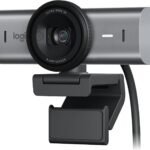
1. Logitech MX Brio – Best Overall 4K Webcam
 Key Features
- 4K Ultra HD resolution
- AI-enhanced image processing
- Dual beamforming microphones
- HDR support
- USB-C connectivity
- Adjustable field of view
Pros
✔ Outstanding image quality
✔ Excellent autofocus
✔ Superb low-light performance
✔ Premium build quality
✔ Easy setup
Cons
✘ Premium price
Why We Recommend It
The Logitech MX Brio delivers exceptional 4K video with vibrant colors, sharp details, and impressive low-light performance. AI-powered image enhancements and dual beamforming microphones make it ideal for professionals who frequently attend video meetings or record presentations.
Best For: Business professionals, remote workers, and creators.
link price on Amazon
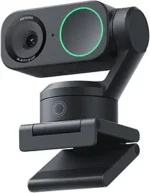
2. Insta360 Link 2 – Best for Content Creators
 Key Features
- 4K Ultra HD
- AI-powered gimbal tracking
- Gesture controls
- HDR video
- Noise-canceling microphones
- Portrait mode support
Pros
✔ Excellent AI tracking
✔ Smooth gimbal movement
✔ Fantastic image quality
✔ Easy gesture controls
✔ Great for presentations
Cons
✘ Higher price
Why We Recommend It
The Insta360 Link 2 is designed for creators who move around while recording. Its AI-powered gimbal automatically follows your movements, making it perfect for tutorials, online teaching, fitness coaching, and live streaming.
Best For: YouTubers, educators, and presenters.
link price on Amazon
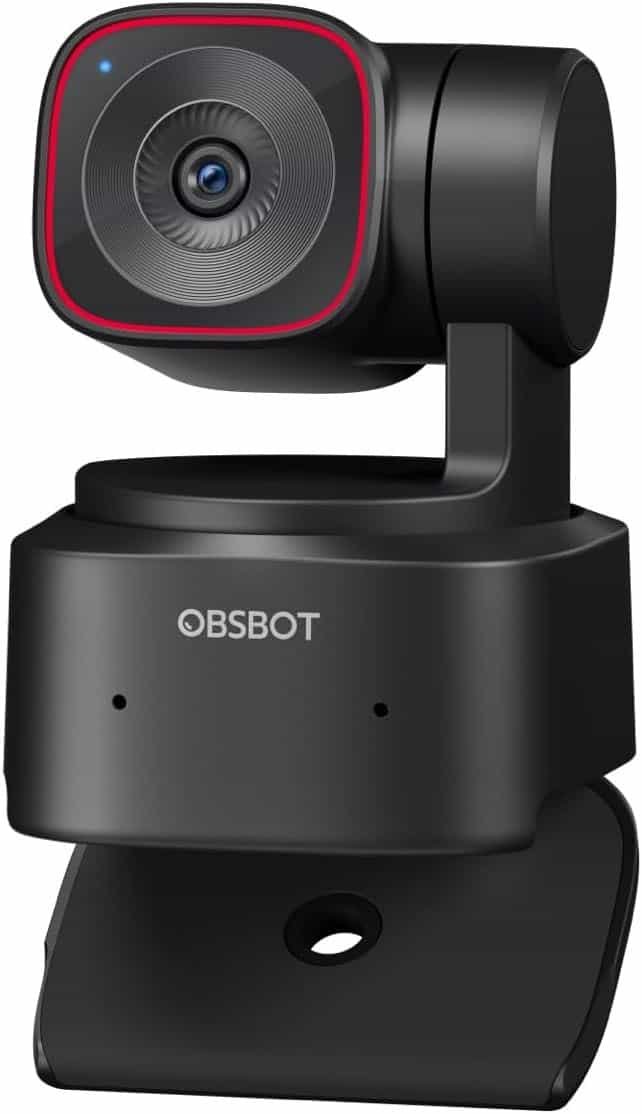
3. OBSBOT Tiny 2 – Best AI Auto-Tracking Webcam
 Key Features
- 4K UHD resolution
- AI auto-tracking
- PTZ (Pan-Tilt-Zoom)
- Gesture controls
- Voice control
- HDR support
Pros
✔ Excellent subject tracking
✔ Smooth movement
✔ High-quality video
✔ Great software
✔ Professional features
Cons
✘ Learning curve
Why We Recommend It
If you regularly move around during recordings, the OBSBOT Tiny 2 keeps you centered automatically. AI tracking and gesture controls make it one of the smartest webcams currently available.
Best For: Streamers and online instructors.
link price on Amazon
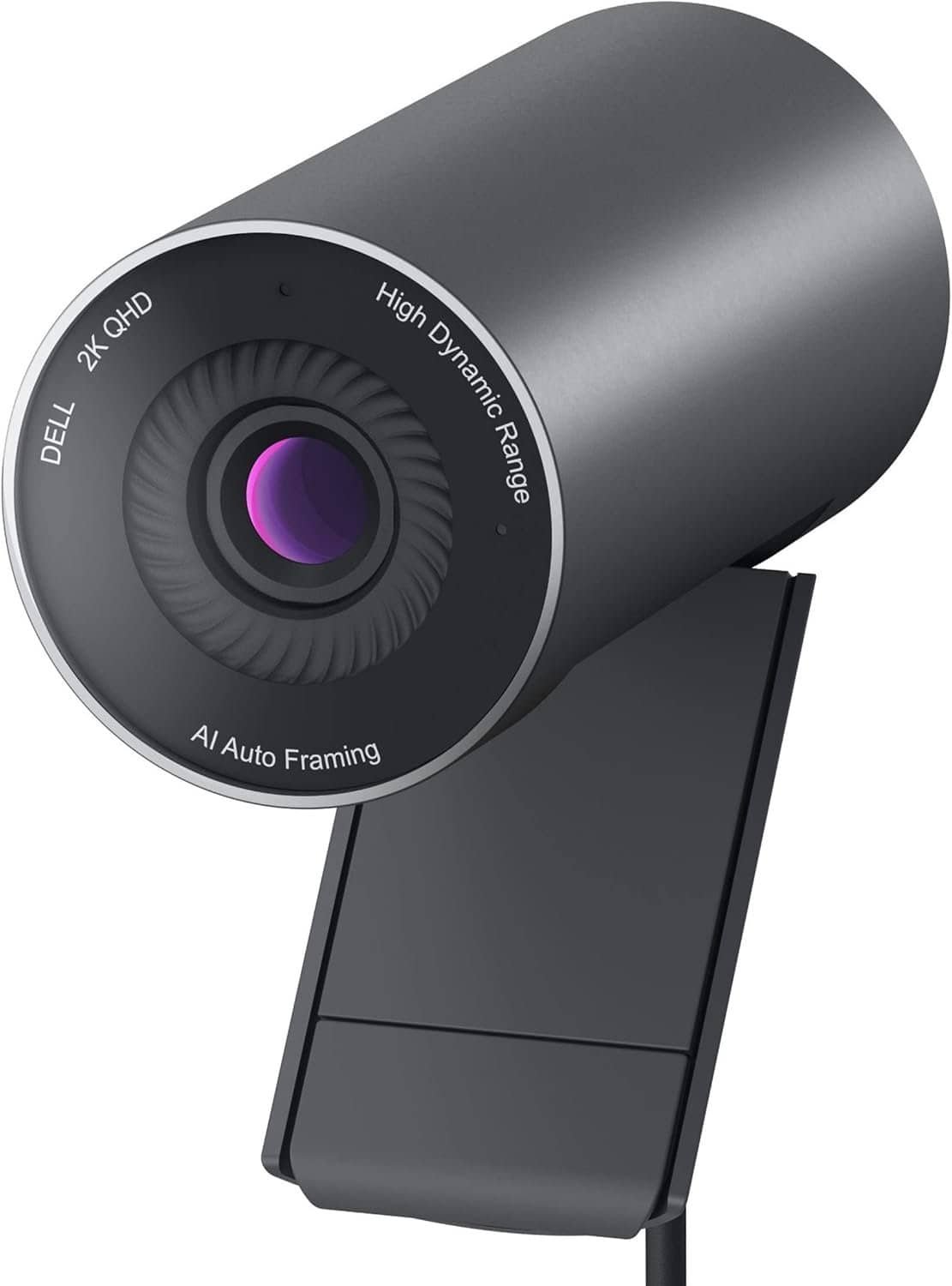
4. Dell UltraSharp WB7022 – Best for Professionals
 Key Features
- Sony STARVIS sensor
- 4K HDR
- AI auto framing
- Digital overlap HDR
- Magnetic privacy cover
- USB-C connection
Pros
✔ Incredible image clarity
✔ Excellent HDR
✔ Premium design
✔ Superb low-light quality
✔ Professional appearance
Cons
✘ Built-in microphone is average
Why We Recommend It
The Dell UltraSharp WB7022 is one of the best webcams for business professionals. Its Sony STARVIS sensor delivers excellent image quality even in challenging lighting conditions, making it ideal for executive meetings and presentations.
Best For: Corporate users and professionals.
link price on Amazon
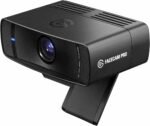
5. Elgato Facecam Pro – Best for Streamers
 Key Features
- Native 4K at 60fps
- Sony sensor
- Manual DSLR-style controls
- Ultra-low latency
- USB-C interface
- Advanced Camera Hub software
Pros
✔ True 4K 60fps
✔ Excellent streaming quality
✔ Professional software
✔ Outstanding sharpness
✔ Great dynamic range
Cons
✘ No built-in microphone
Why We Recommend It
Designed specifically for streamers and creators, the Elgato Facecam Pro delivers stunning 4K 60fps video that rivals dedicated cameras. Its advanced software allows precise control over exposure, ISO, shutter speed, and white balance.
Best For: Twitch streamers, YouTubers, and content creators.
link price on Amazon
How to Choose the Best 4K Webcam
1. Resolution
Look for webcams offering true 4K Ultra HD (3840 × 2160) for the sharpest image quality.
2. Autofocus
Fast and accurate autofocus ensures you remain sharp even when moving during calls or recordings.
3. Low-Light Performance
Premium webcams use larger image sensors and HDR technology to produce brighter, clearer video in dim environments.
4. Field of View
Common viewing angles include:
- 65°: Individual meetings
- 78°: Home office
- 90°: Group calls and presentations
Choose a field of view that suits your setup.
5. Microphone Quality
Some webcams include high-quality dual microphones with noise reduction, while others are designed to be paired with an external USB microphone for the best audio.
6. Compatibility
Ensure your webcam works with your preferred platforms:
- Zoom
- Microsoft Teams
- Google Meet
- Skype
- OBS Studio
- Twitch
- YouTube Live
- Discord
4K Webcam vs 1080p Webcam
Choose a 4K Webcam If You:
- Record YouTube videos
- Stream professionally
- Teach online
- Need the sharpest image
- Want better low-light performance
Choose a 1080p Webcam If You:
- Only attend occasional meetings
- Have a limited budget
- Don’t need ultra-high resolution
For creators and professionals, the upgrade to 4K is well worth the investment.
Tips for Better Webcam Video Quality
Even the best webcam performs better with a few simple adjustments:
- Use soft front-facing lighting.
- Position the camera at eye level.
- Keep your background clean and uncluttered.
- Use an external USB microphone for better audio.
- Maintain a stable internet connection for video calls.
Frequently Asked Questions
Are 4K webcams worth buying?
Yes. They offer sharper images, better color accuracy, and improved low-light performance compared to standard 1080p webcams.
Do I need a 4K monitor to use a 4K webcam?
No. A 4K webcam still improves image quality even if you’re viewing it on a Full HD monitor.
Which webcam is best for Zoom meetings?
The Logitech MX Brio offers outstanding image quality, excellent microphones, and reliable performance, making it ideal for professional meetings.
Are built-in webcam microphones good enough?
For casual meetings, yes. However, creators and professionals will benefit from using a dedicated USB microphone for superior audio quality.
Can I stream in 4K with these webcams?
Yes, provided your computer, software, and internet connection support 4K streaming.
Final Verdict
Investing in a high-quality 4K webcam can dramatically improve your appearance during meetings, livestreams, and video recordings.
Our top recommendations are:
🏆 Best Overall: Logitech MX Brio
🎥 Best for Content Creators: Insta360 Link 2
🤖 Best AI Tracking: OBSBOT Tiny 2
💼 Best for Professionals: Dell UltraSharp WB7022
🎮 Best for Streaming: Elgato Facecam Pro
Whether you’re working from home, teaching online, or growing a YouTube channel, one of these webcams will help you deliver professional-quality video with ease.
Amazon Product Links
1. Logitech MX Brio
https://www.amazon.com/s?k=Logitech+MX+Brio
2. Insta360 Link 2
https://www.amazon.com/s?k=Insta360+Link+2
3. OBSBOT Tiny 2
https://www.amazon.com/s?k=OBSBOT+Tiny+2
4. Dell UltraSharp WB7022
https://www.amazon.com/s?k=Dell+UltraSharp+WB7022