Whether you’re gaming, editing videos, programming, or working long hours, your laptop can quickly heat up under heavy workloads. Excessive heat doesn’t just make your laptop uncomfortable to use—it can reduce performance, cause thermal throttling, shorten battery life, and even decrease the lifespan of internal components.
That’s where a laptop cooling pad comes in.
Laptop cooling pads improve airflow around your device, helping maintain lower operating temperatures while providing a more comfortable typing angle. Some models feature powerful high-RPM fans for gaming laptops, while others focus on quiet operation for office and everyday use.
In this guide, we’ve reviewed the best laptop cooling pads available in 2026 based on cooling efficiency, noise level, build quality, ergonomics, portability, and overall value.
Table of Contents
Quick Comparison Table
| Product | Fan Count | Best For | Laptop Size |
|---|---|---|---|
| IETS GT500 | Turbo Blower | Gaming | Up to 17.3″ |
| KLIM Ultimate | 1 Large RGB Fan | Performance | Up to 17″ |
| TopMate C12 | 6 Fans | Value | Up to 17.3″ |
| Havit HV-F2056 | 3 Fans | Everyday Use | Up to 17″ |
| Targus Chill Mat+ | 2 Fans | Office & Travel | Up to 17″ |
Why You Need a Laptop Cooling Pad
When laptops overheat, several issues can occur:
- Reduced CPU and GPU performance
- Thermal throttling
- Loud fan noise
- Battery degradation
- System crashes
- Shortened hardware lifespan
A quality cooling pad helps improve ventilation and maintain consistent performance, especially during demanding tasks.
Top 5 Best Laptop Cooling Pads
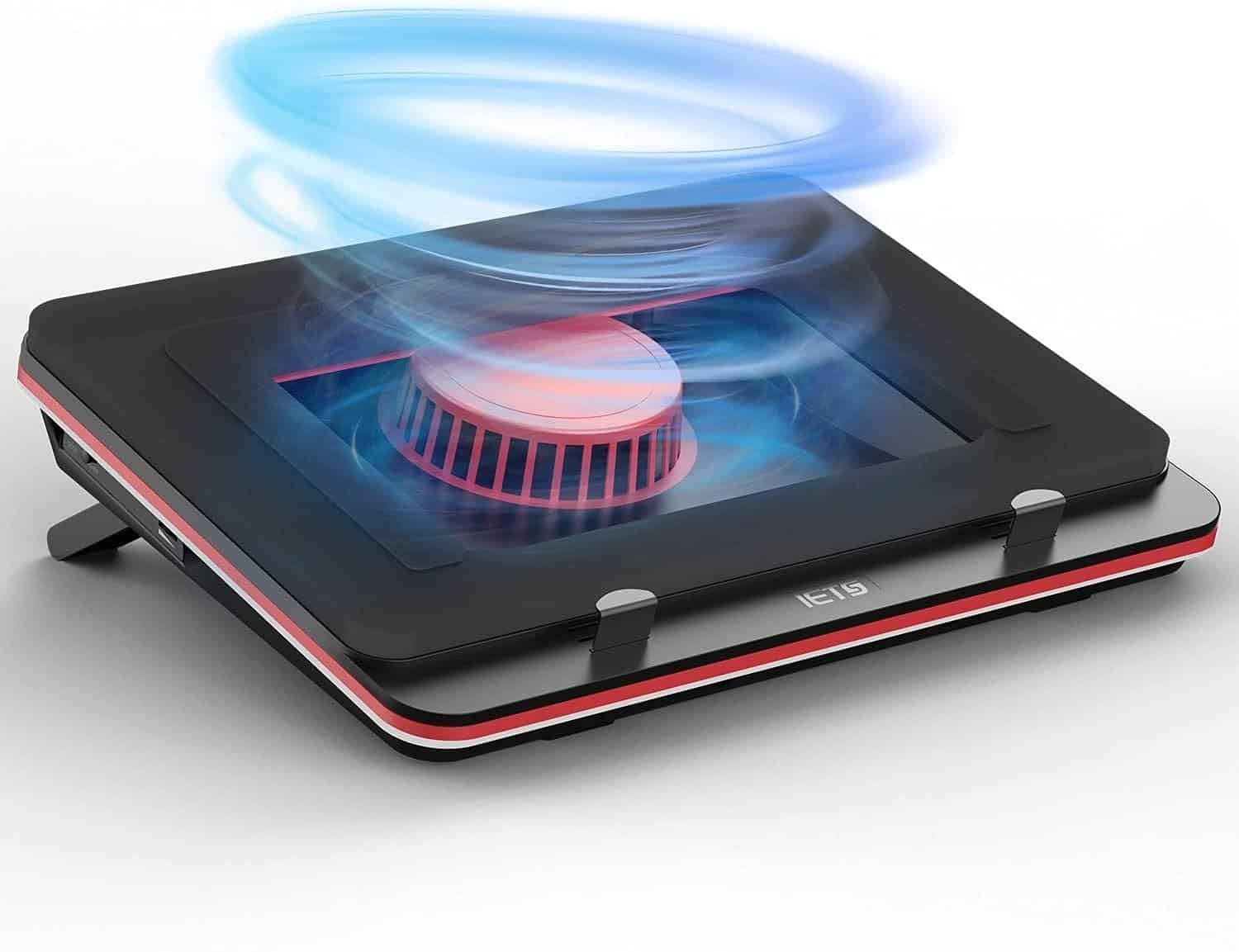
1. IETS GT500 – Best Overall Laptop Cooling Pad
 Key Features
- Powerful turbo blower cooling system
- Foam sealing design
- Adjustable fan speed
- Dust filter included
- RGB lighting
- Adjustable height
Pros
✔ Industry-leading cooling performance
✔ Excellent for gaming laptops
✔ Significant temperature reduction
✔ Durable construction
✔ Highly adjustable
Cons
✘ Louder than traditional cooling pads
✘ Premium price
Why We Recommend It
If maximum cooling performance is your priority, the IETS GT500 is one of the most effective laptop cooling pads available. Unlike standard models with open fans, it uses a sealed turbo blower system that forces cool air directly into your laptop’s intake vents.
Gamers and content creators who regularly push their laptops to the limit will appreciate the impressive temperature reductions.
link on price Amazon
2. KLIM Ultimate – Best Premium Cooling Pad
 Key Features
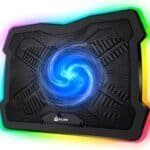
- Massive 200mm fan
- RGB lighting
- Adjustable stand
- Quiet operation
- USB powered
- Supports laptops up to 17″
Pros
✔ Very quiet
✔ Attractive design
✔ Excellent airflow
✔ Comfortable typing angle
✔ Reliable build quality
Cons
✘ Single fan may not suit every laptop design
Why We Recommend It
The KLIM Ultimate combines strong airflow with whisper-quiet operation, making it perfect for gamers and professionals alike. The large central fan distributes air evenly while keeping noise to a minimum.
link price on Amazon
3. TopMate C12 – Best Value Cooling Pad
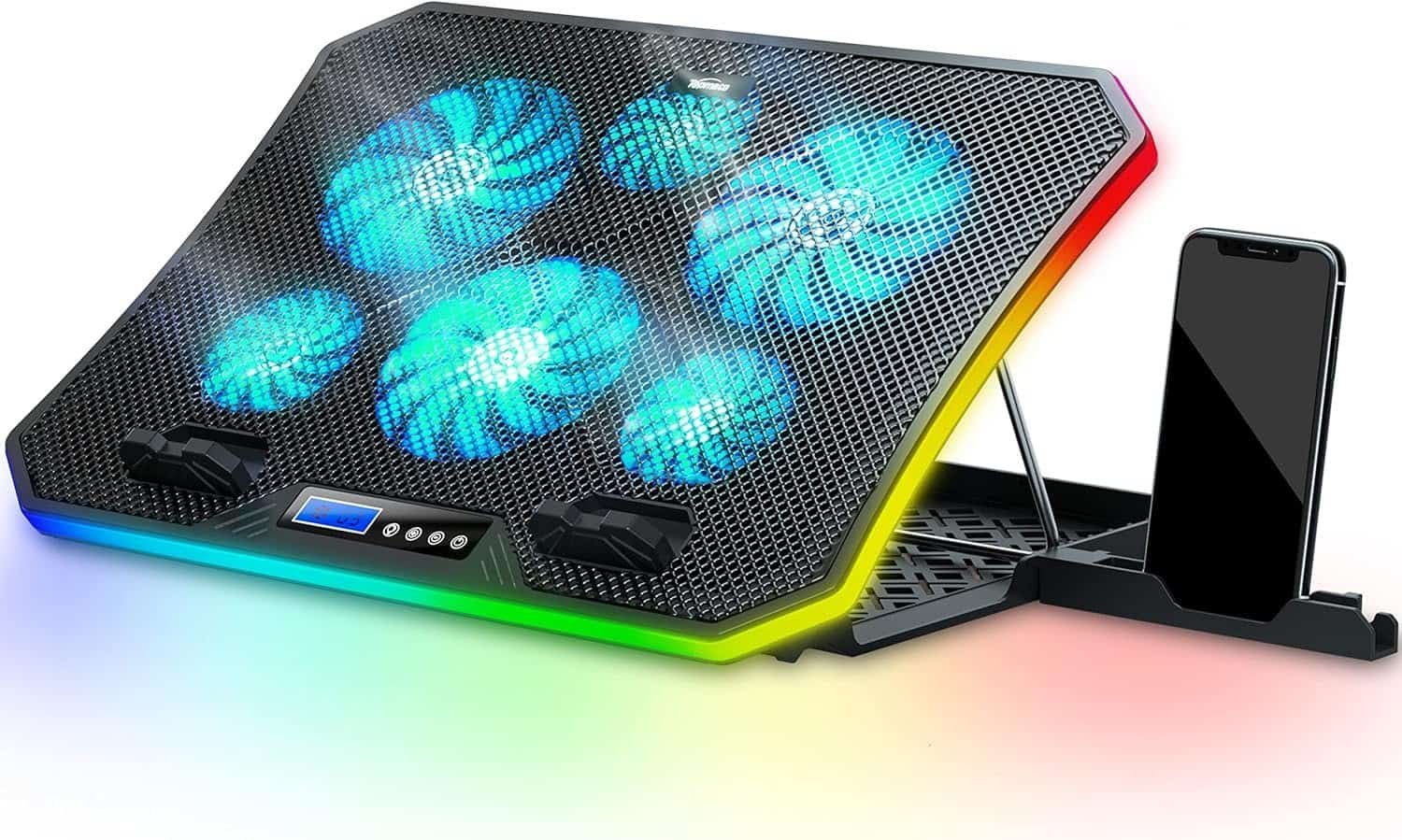 Key Features
- Six cooling fans
- LCD display
- Adjustable fan speeds
- Five height settings
- Blue LED lighting
- USB hub included
Pros
✔ Excellent cooling
✔ Affordable
✔ Adjustable fan control
✔ Ergonomic design
✔ Multiple cooling zones
Cons
✘ LED lighting cannot be fully customized
Why We Recommend It
The TopMate C12 delivers impressive cooling performance without breaking the bank. Its six-fan configuration provides balanced airflow across larger gaming laptops while allowing users to control fan speed depending on workload.
link on price Amazon
4. Havit HV-F2056 – Best for Everyday Use
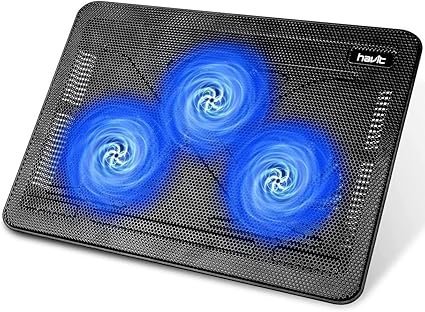 Key Features
- Three ultra-quiet fans
- Slim portable design
- Metal mesh surface
- USB powered
- Lightweight construction
Pros
✔ Extremely portable
✔ Quiet operation
✔ Great airflow
✔ Affordable
✔ Durable metal construction
Cons
✘ Not designed for extreme gaming
Why We Recommend It
The Havit HV-F2056 has remained one of Amazon’s best-selling laptop cooling pads for years. Its lightweight profile makes it ideal for students, office workers, and remote professionals who want better cooling without carrying bulky accessories.
link on price Amazon
5. Targus Chill Mat+ – Best for Business Users
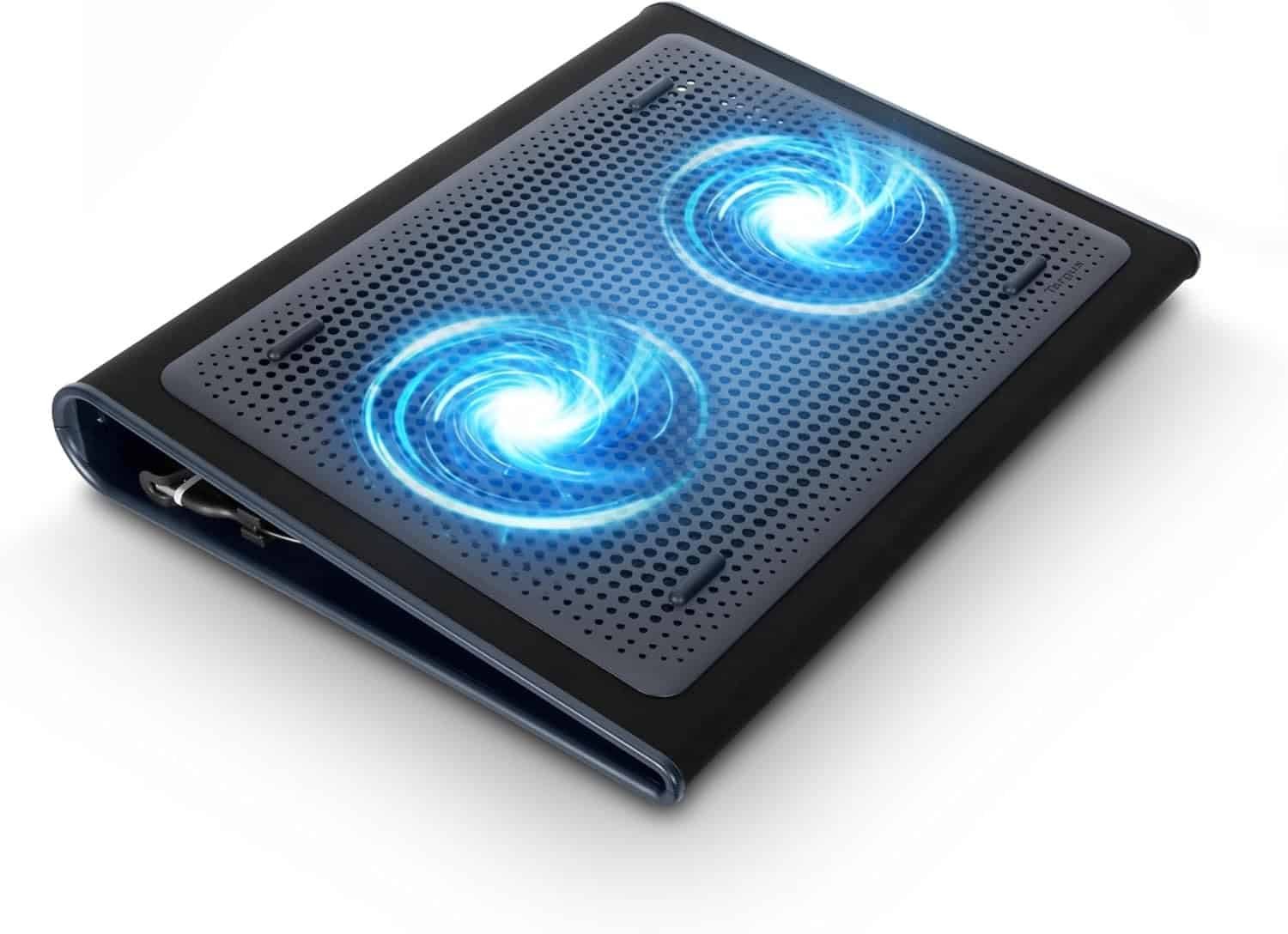 Key Features
- Dual cooling fans
- Built-in four-port USB hub
- Ergonomic tilt
- Lightweight design
- Soft neoprene finish
Pros
✔ Great for office work
✔ Integrated USB hub
✔ Comfortable lap use
✔ Reliable brand
✔ Quiet fans
Cons
✘ Less aggressive cooling for gaming
Why We Recommend It
The Targus Chill Mat+ is designed for professionals who use their laptops for extended work sessions. Its integrated USB hub adds convenience while the quiet dual-fan design helps keep temperatures under control during daily productivity tasks.
link on price Amazon
How to Choose the Best Laptop Cooling Pad
1. Cooling Performance
Look for:
- High airflow (CFM)
- Large fans (200mm) or multiple smaller fans
- Adjustable fan speeds
- Metal mesh design
Gaming laptops generally benefit from more powerful cooling systems.
2. Laptop Size Compatibility
Choose a cooling pad that matches your laptop’s dimensions.
Typical support includes:
- 13-inch laptops
- 15.6-inch laptops
- 16-inch laptops
- 17.3-inch gaming laptops
3. Noise Level
If you work in libraries, offices, or classrooms, quieter fans (below 30 dB) provide a better experience.
4. Adjustable Height
A good cooling pad also improves ergonomics by raising the screen and keyboard angle, reducing wrist and neck strain.
5. USB Connectivity
Many cooling pads include:
- Pass-through USB ports
- Built-in USB hubs
- Extra charging ports
These features add convenience without sacrificing laptop connectivity.
6. Build Quality
Premium models often feature:
- Aluminum mesh
- Reinforced plastic frames
- Anti-slip pads
- Durable fan bearings
Better materials improve longevity and cooling efficiency.
Cooling Pad vs Laptop Stand
Many users wonder whether they should buy a laptop stand or a cooling pad.
Choose a Cooling Pad If:
- You game regularly.
- Your laptop gets hot during heavy workloads.
- You edit videos or render 3D graphics.
- You experience thermal throttling.
Choose a Laptop Stand If:
- Your main concern is posture.
- You primarily browse, write, or attend online classes.
- Your laptop rarely overheats.
Some premium cooling pads combine both cooling and ergonomic elevation.
Benefits of Using a Laptop Cooling Pad
Using a cooling pad offers several long-term advantages:
- Lower CPU and GPU temperatures
- Better gaming performance
- Reduced thermal throttling
- Longer battery life
- Improved hardware longevity
- More comfortable typing angle
- Quieter internal laptop fans
- Better airflow
Frequently Asked Questions
Do laptop cooling pads really work?
Yes. A quality cooling pad can lower laptop temperatures, especially during gaming, video editing, or other demanding tasks. Results vary depending on your laptop’s cooling design and the pad you choose.
Are cooling pads worth it for gaming laptops?
Absolutely. Gaming laptops generate significant heat, and a powerful cooling pad can help maintain higher performance by reducing thermal throttling.
Can a cooling pad extend laptop life?
By reducing operating temperatures, a cooling pad may help minimize heat-related wear on internal components, potentially contributing to longer hardware lifespan.
Are cooling pads noisy?
Most modern cooling pads operate quietly, though high-performance models with turbo blowers may produce more noticeable fan noise.
Should I use a cooling pad every day?
If you frequently use your laptop for extended periods or demanding applications, using a cooling pad daily can help maintain stable temperatures and improve comfort.
Final Verdict
A laptop cooling pad is a worthwhile investment if your laptop tends to overheat during gaming, creative work, or long productivity sessions. The right cooling pad not only improves airflow but also helps maintain consistent performance and extends the life of your device.
Our top recommendations are:
- 🏆 Best Overall: IETS GT500
- ⭐ Best Premium: KLIM Ultimate
- 💰 Best Value: TopMate C12
- 🎓 Best for Students: Havit HV-F2056
- 💼 Best for Professionals: Targus Chill Mat+
No matter your budget or workload, one of these cooling pads can help keep your laptop running cooler, quieter, and more efficiently.
Amazon Product Links
- IETS GT500 Laptop Cooling Pad
https://www.amazon.com/s?k=IETS+GT500+Laptop+Cooling+Pad - KLIM Ultimate Laptop Cooling Pad
https://www.amazon.com/s?k=KLIM+Ultimate+Laptop+Cooling+Pad - TopMate C12 Laptop Cooling Pad
https://www.amazon.com/s?k=TopMate+C12+Laptop+Cooling+Pad - Havit HV-F2056 Laptop Cooling Pad
https://www.amazon.com/s?k=Havit+HV-F2056+Laptop+Cooling+Pad - Targus Chill Mat+
https://www.amazon.com/s?k=Targus+Chill+Mat%2B