Although cloud storage and digital downloads have become increasingly popular, external Blu-ray drives remain essential for professionals, movie enthusiasts, photographers, videographers, gamers, and anyone who still uses physical media. Whether you need to watch Blu-ray movies, burn large data backups, archive important files, install software from discs, or rip CDs and DVDs, a reliable external Blu-ray drive is a worthwhile investment.
Modern laptops—especially ultrabooks and MacBooks—often lack built-in optical drives. An external Blu-ray drive solves this problem by connecting via USB-A or USB-C, providing plug-and-play convenience without requiring internal installation.
In this guide, we’ve selected the best external Blu-ray drives based on performance, compatibility, build quality, read/write speeds, portability, and overall value.
Table of Contents
Quick Comparison Table
| Product | Best For | Interface | Blu-ray Writing |
|---|---|---|---|
| ASUS BW-16D1X-U | Best Overall | USB 3.2 | ✔ |
| Pioneer BDR-XD08B | Best Portable | USB-C | ✔ |
| LG WP60NB10 | Best Value | USB 2.0/3.0 | Read Only |
| Archgon MD-8107S-U3 | Best Premium | USB 3.0 | ✔ |
| Buffalo MediaStation BRXL-PT6U2VB | Best Backup Solution | USB 3.0 | ✔ |
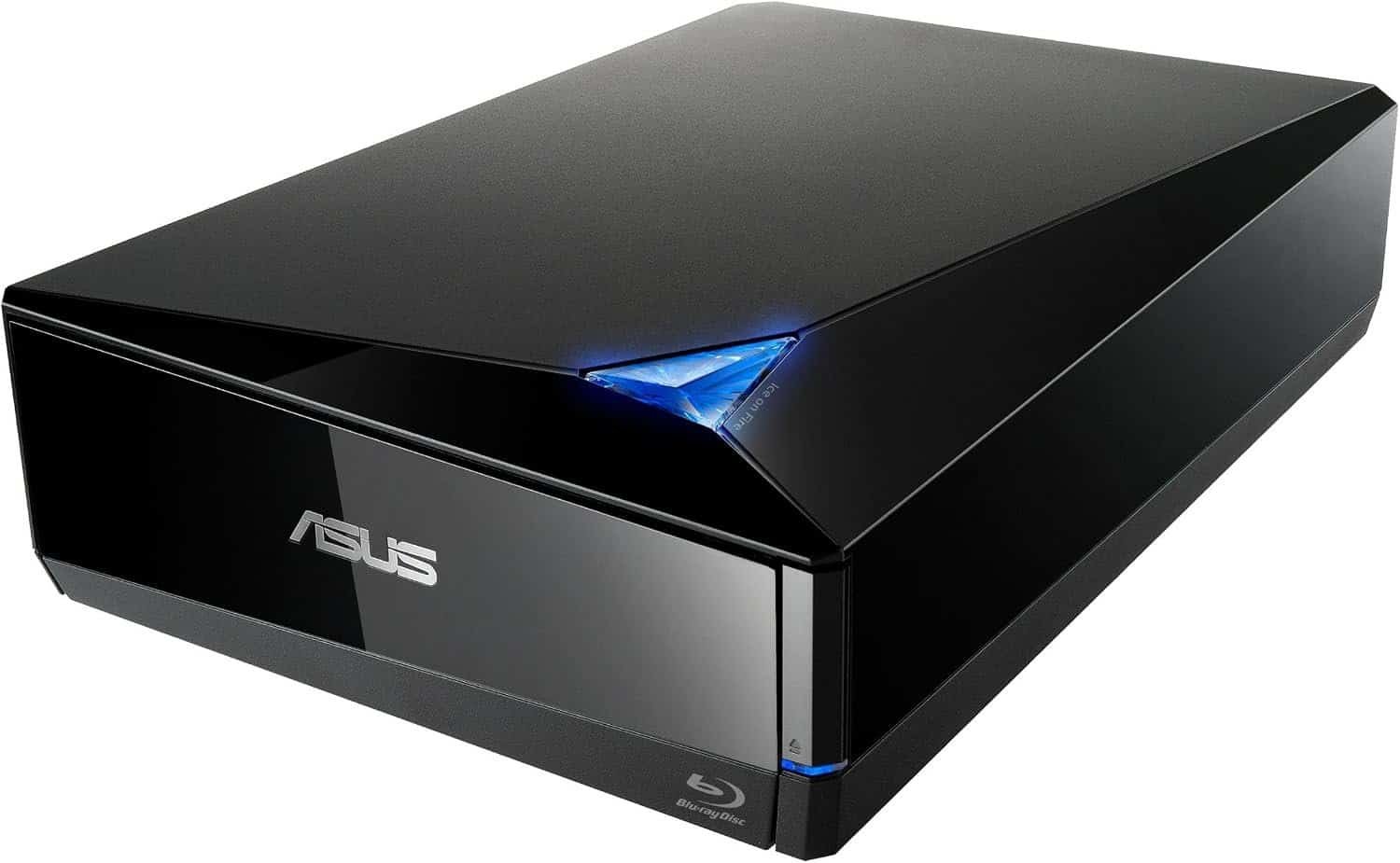
1. ASUS BW-16D1X-U
Best Overall
The ASUS BW-16D1X-U is one of the fastest external Blu-ray writers available. It supports high-speed Blu-ray burning, DVD/CD writing, and includes backup software for added convenience.
 Key Features
- 16X Blu-ray writing speed
- USB 3.2 interface
- M-DISC support
- DVD and CD compatibility
- CyberLink backup software included
Pros
- Excellent performance
- Fast write speeds
- Durable design
- Great software bundle
Cons
- Larger than slim portable drives
2. Pioneer BDR-XD08B
Best Portable
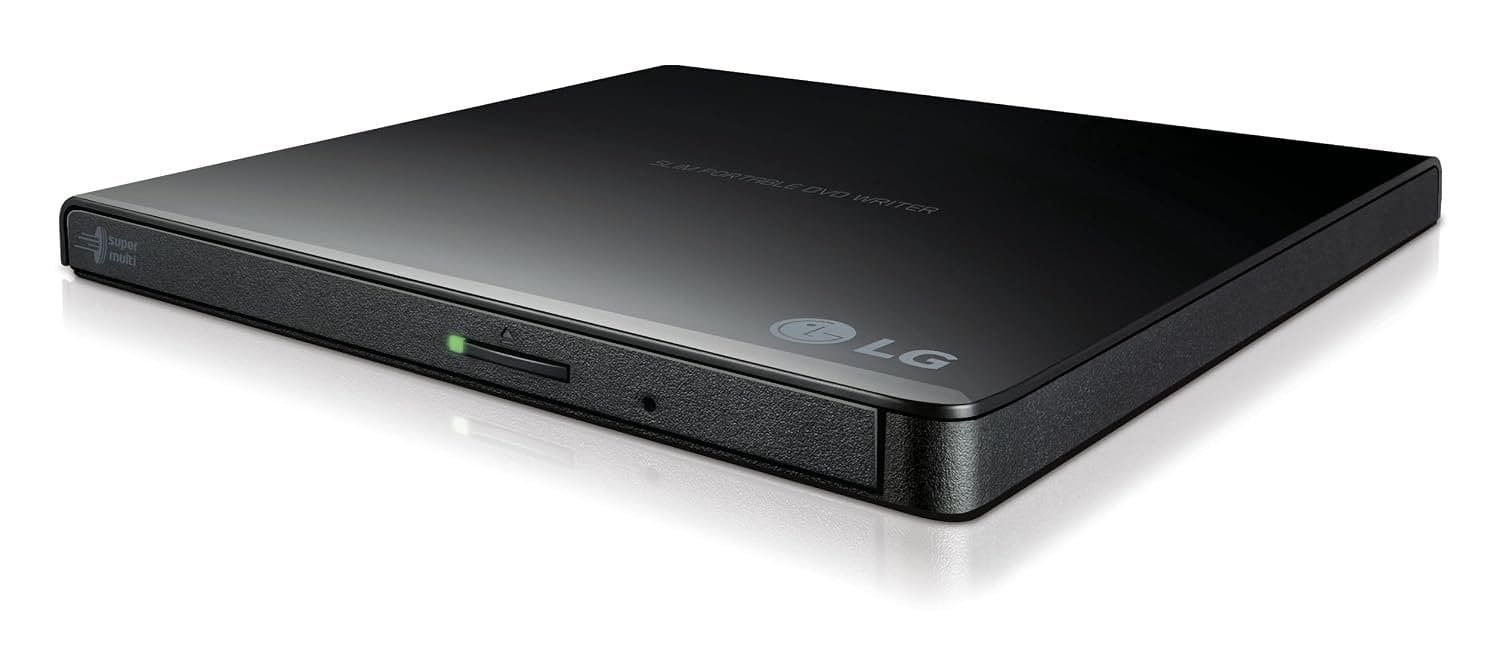
Pioneer is known for producing high-quality optical drives. The BDR-XD08B combines reliable Blu-ray writing with a slim, travel-friendly design.
 Features
- USB-C connectivity
- Ultra-slim body
- Quiet operation
- M-DISC support
- Plug-and-play compatibility
Pros
- Lightweight
- Quiet
- Excellent build quality
- Easy to carry
Cons
- Premium price
3. LG WP60NB10
Best Budget Option
The LG WP60NB10 offers an affordable solution for users who primarily need Blu-ray playback and DVD burning.
 Features
- Slim portable design
- USB powered
- Blu-ray playback
- DVD/CD writing
- Plug-and-play
Pros
- Affordable
- Lightweight
- Trusted brand
- Easy setup
Cons
- Does not write Blu-ray discs
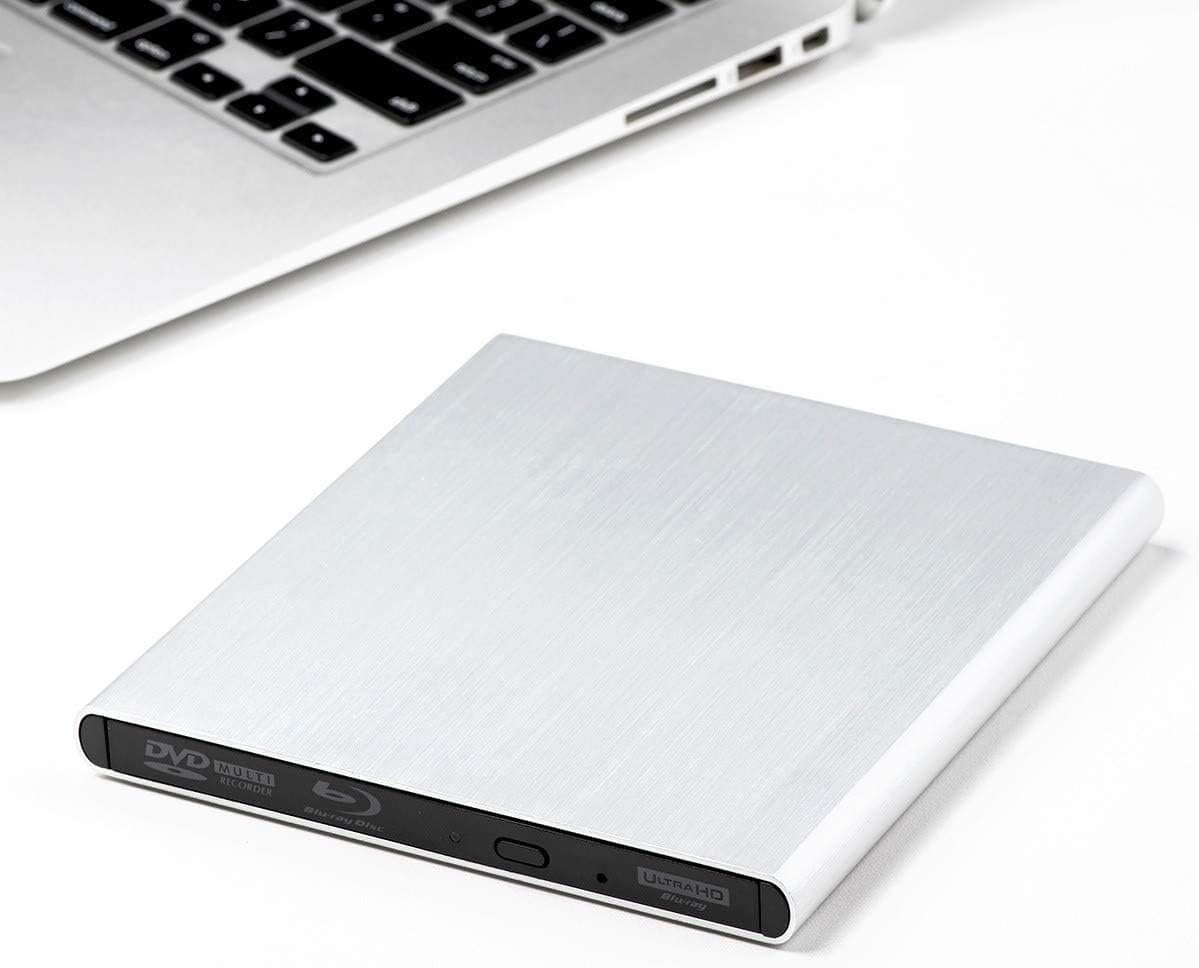
4. Archgon MD-8107S-U3
Best Premium Performance
The Archgon MD-8107S-U3 uses a premium aluminum enclosure and delivers dependable performance for professional users.
 Features
- Aluminum housing
- USB 3.0
- Blu-ray writing
- DVD/CD support
- Quiet operation
Pros
- Premium construction
- Excellent compatibility
- Reliable performance
- Durable
Cons
- Slightly higher price
5. Buffalo MediaStation BRXL-PT6U2VB
Best for Data Backup
Buffalo’s MediaStation is designed for users who regularly archive important files and media collections.
 Features
- Blu-ray writer
- USB 3.0
- Backup software
- M-DISC compatibility
- Compact size
Pros
- Excellent backup solution
- Reliable software
- Good value
- Compact design
Cons
- Basic appearance
Why Buy an External Blu-ray Drive?
External Blu-ray drives continue to provide several important benefits.
Watch Blu-ray Movies
Enjoy high-definition Blu-ray movies on compatible Windows or Mac systems with appropriate playback software.
Backup Large Files
Blu-ray discs offer much higher storage capacity than CDs or DVDs, making them ideal for archiving photos, videos, and business documents.
Burn Discs
Create Blu-ray, DVD, or CD backups quickly and efficiently.
Install Legacy Software
Many professional applications and older games are still distributed on optical media.
Portable Convenience
USB-powered drives are easy to carry and work with multiple computers.
What to Look for Before Buying
Read vs. Write Capability
Some drives only read Blu-ray discs, while others can also burn them. Choose a Blu-ray writer if you plan to create backups or burn media.
USB Interface
USB 3.0 or USB-C offers faster transfer speeds than older USB 2.0 connections.
M-DISC Support
M-DISC technology is designed for long-term data preservation, making it useful for important archives.
Compatibility
Ensure the drive supports your operating system, whether Windows or macOS. Some features, such as Blu-ray movie playback, may require additional software.
Portability
Slim, lightweight models are easier to transport if you frequently work on different computers.
Who Should Buy an External Blu-ray Drive?
External Blu-ray drives are ideal for:
- Photographers
- Videographers
- Content creators
- Movie collectors
- Students
- Business professionals
- IT technicians
- Gamers with physical media
- Archivists
- Home users needing reliable backups
Recommended Accessories
1. Verbatim M-DISC Blu-ray Discs
Perfect for long-term backups.
2. Verbatim BD-R Blu-ray Blank Discs
Great for everyday Blu-ray recording.
3. USB-C to USB-A Adapter
Useful for connecting drives to modern laptops.
4. Protective Carrying Case
Protect your Blu-ray drive during travel.
5. USB-C Hub
Expand connectivity for laptops with limited ports.
Frequently Asked Questions
Can external Blu-ray drives play Blu-ray movies?
Yes, provided you have compatible playback software installed on your computer.
Do Blu-ray drives work with Mac?
Most external Blu-ray drives support macOS for reading and writing data discs. Playback of commercial Blu-ray movies may require additional software.
Can I burn DVDs and CDs too?
Yes. Nearly all Blu-ray writers also support DVD and CD reading and writing.
Is USB 3.0 faster than USB 2.0?
Yes. USB 3.0 provides significantly faster data transfer speeds, especially when writing large Blu-ray files.
Final Verdict
An external Blu-ray drive remains an excellent investment for anyone who values reliable data backups, physical media, or high-capacity optical storage. Whether you’re preserving important files, watching Blu-ray movies, or creating archives, the right drive offers years of dependable performance.
The ASUS BW-16D1X-U stands out as the best overall choice thanks to its fast Blu-ray writing speeds and comprehensive software bundle. Travelers will appreciate the slim Pioneer BDR-XD08B, while the LG WP60NB10 is a great budget-friendly option for Blu-ray playback. Professionals seeking premium build quality should consider the Archgon MD-8107S-U3, and users focused on long-term backups will find the Buffalo MediaStation BRXL-PT6U2VB an excellent choice.
Before purchasing, consider whether you need Blu-ray writing capabilities, USB-C compatibility, or M-DISC support. Choosing the right external Blu-ray drive will ensure secure storage, dependable performance, and convenient access to your media for years to come.