A laptop gives you the freedom to work almost anywhere, but its compact screen can quickly feel restrictive when you are managing spreadsheets, research, email, video calls, creative applications, and browser tabs simultaneously.
A laptop screen extender solves this problem by adding one or two portable displays to your existing laptop. A dual-panel extender creates a triple-screen workspace consisting of your laptop display and two additional monitors. This arrangement can make it easier to compare documents, monitor communication channels, write code, edit content, and complete administrative work without constantly switching between windows.
Unlike conventional desktop monitors, laptop extenders fold into a travel-friendly system that can be used in a home office, hotel room, coworking space, or temporary workstation.
However, compatibility is critical. A USB-C port may support charging and data without supporting video output. Some laptops can drive only one external monitor natively, while certain screen extenders require software or a specialized hub to activate both panels.
This guide compares five of the best laptop screen extenders for triple-screen productivity, including lightweight models, large 15.6-inch displays, and options with hubs or portable power support.
Table of Contents
Quick Comparison of the Best Laptop Screen Extenders
| Product | Screen Size | Resolution | Best For |
|---|---|---|---|
| Teamgee Laptop Screen Extender | 14.2 inches | 1080p | Best overall |
| KEFEYA Detachable Screen Extender | 15.6 inches | 1080p | Large-screen productivity |
| FQQ S10 Laptop Screen Extender | 15.6 inches | 1080p | Remote workers |
| Ultra-Thin Aluminum Screen Extender | 14 inches | 1080p | Frequent travelers |
| KEFEYA Extender With Power Bank | 15.6 inches | 1080p | Flexible mobile setups |
Product specifications and compatibility can change. Confirm your laptop model, port capabilities, operating system, dimensions, and supported external-display count before ordering.
1. Teamgee 14.2-Inch Laptop Screen Extender — Best Overall
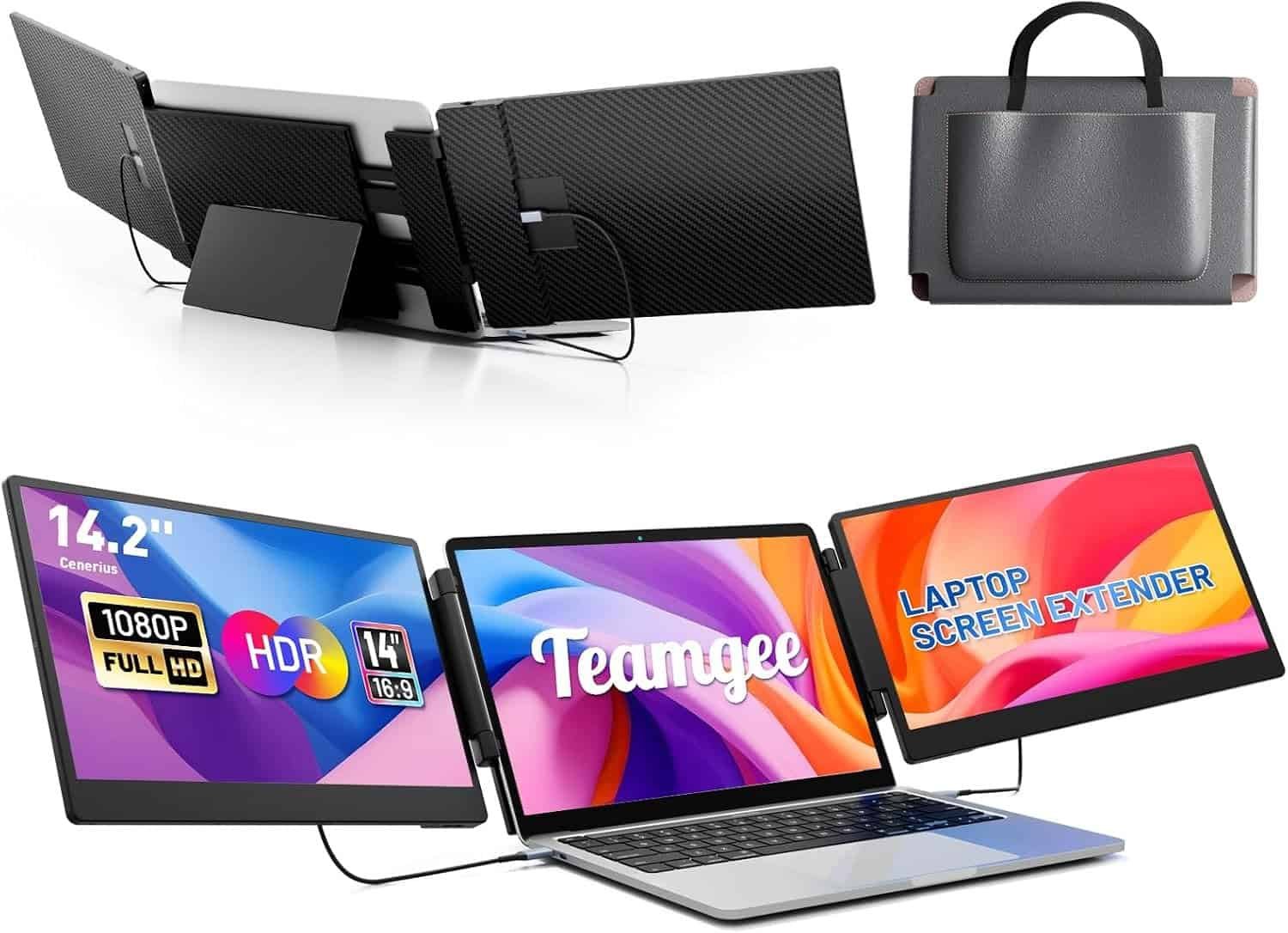
The Teamgee 14.2-Inch Laptop Screen Extender is our best overall pick because it balances usable screen space, portability, connection flexibility, and broad laptop compatibility.
Its dual 14.2-inch IPS panels provide Full HD 1080p resolution. When positioned on both sides of a laptop, the two displays can create a spacious triple-screen workstation without requiring separate monitor stands.
The screen size is large enough for documents, browser windows, communication applications, and productivity tools while remaining manageable for travel. It is promoted for laptops between approximately 13 and 17 inches, but buyers should check the exact width and thickness requirements before purchasing.
The extender supports USB-C, USB-A, and HDMI connection methods. The required combination depends on your laptop. A full-featured USB-C port capable of DisplayPort Alt Mode may carry video and power through one cable. Other laptops may need separate HDMI and USB connections or software assistance.
Its folding design makes the system practical for hybrid workers who regularly move between home and office. Individual display controls also allow users to adjust brightness and other picture settings.
 Key features:
- Two 14.2-inch IPS displays
- Full HD 1080p resolution
- USB-C, USB-A and HDMI connectivity
- Compatible with a broad range of laptop sizes
- Foldable portable design
- Independent screen adjustment
Pros:
- Strong balance between portability and display size
- Useful for office work, coding and research
- Multiple connection options
- Creates a complete three-screen workstation
Cons:
- Compatibility depends on laptop ports and display support
- May add noticeable weight to a thin laptop
- Some configurations may require drivers
Best for: Remote professionals who want a versatile extender for home, office, and occasional travel.
2. KEFEYA 15.6-Inch Detachable Laptop Screen Extender — Best Large-Screen Pick
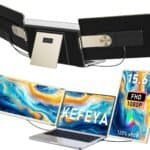
The KEFEYA 15.6-Inch Laptop Screen Extender is designed for users who prioritize screen size. Its two Full HD IPS panels provide more viewing area than compact 13- or 14-inch alternatives, making it particularly useful for spreadsheets, dashboards, timelines, and multi-column documents.
The panels offer broad rotation and can be positioned for a surrounding workstation or turned toward another person during a meeting. The detachable design also allows more flexible placement than extenders that remain permanently attached to the laptop frame.
KEFEYA lists the system for laptops between approximately 13 and 17.3 inches and promotes compatibility with Windows, macOS, Chrome-based devices, Samsung DeX, and selected Surface products. Compatibility is not universal, however. The laptop must provide the correct video outputs or work with the included connection method.
The larger panels provide a more desktop-like experience but make the unit less convenient for daily travel. A sturdy desk and adequate space are recommended. If the extender attaches directly to your laptop, use its support stand rather than placing all the additional weight on the laptop hinge.
 Key features:
- Two 15.6-inch IPS panels
- Full HD 1080p resolution
- Detachable screen design
- Up to 235-degree rotation
- Wide color-gamut claim
- Multiple connection options
Pros:
- Generous screen size for detailed work
- Flexible panel positioning
- Useful for presentations and collaboration
- Suitable for larger laptops
Cons:
- Bulkier than 14-inch models
- Requires more desk space
- Laptop compatibility must be verified carefully
Best for: Analysts, programmers, designers and home-office users who want maximum portable screen space.
3. FQQ S10 15.6-Inch Laptop Screen Extender — Best for Remote Work
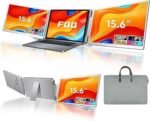
The FQQ S10 adds two 15.6-inch Full HD IPS displays to compatible laptops between approximately 13 and 17.3 inches. It is a practical choice for remote workers who want to recreate a multi-monitor office setup at home or while travelling.
Its expanded workspace can support a variety of workflows. You could keep a video meeting on one screen, reference material on another, and your primary document on the laptop. A marketer might separate analytics, campaign management, and content creation, while a programmer could display code, documentation, and testing tools simultaneously.
The FQQ supports HDMI and USB-C connections, although the exact cable arrangement depends on your computer. Laptops with two full-featured USB-C ports may offer the cleanest setup. Devices with fewer video-capable ports could require HDMI, USB-A power, a compatible hub, or driver installation.
The panels fold for storage, but a dual 15.6-inch extender is still a substantial accessory. It is better suited to a backpack or carry-on designed for electronics than a compact laptop sleeve.
 Key features:
- Dual 15.6-inch Full HD IPS screens
- HDMI and USB-C connectivity
- Folding triple-screen design
- Supports extended and mirrored display modes
- Intended for laptops from 13 to 17.3 inches
Pros:
- Large workspace for multitasking
- Suitable for meetings and productivity applications
- Multiple display modes
- Good option for semi-permanent remote setups
Cons:
- Considerably larger than a basic portable monitor
- Cable requirements may vary
- Not every Mac supports two external displays natively
Best for: Remote workers who want a spacious triple-screen setup that can still be packed away.
4. Ultra-Thin 14-Inch Aluminum Triple-Screen Extender — Best for Travel
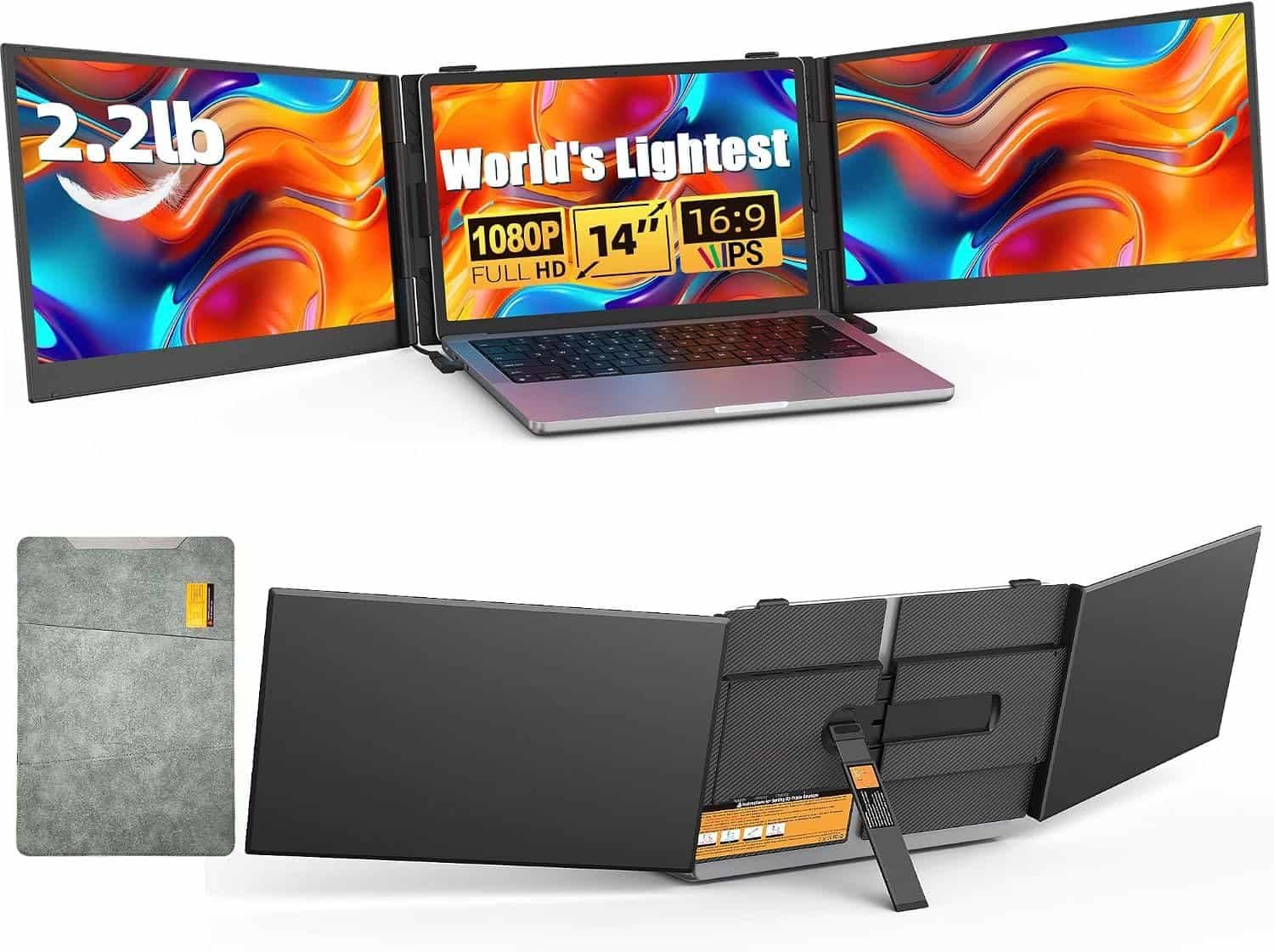
This 14-inch ultra-thin extender is designed for users who want two extra screens without carrying the weight of a larger 15.6-inch system. Its listing describes a lightweight aluminum build weighing approximately 2.2 pounds.
Each panel provides Full HD 1080p resolution. The combination of a slim frame and smaller screen size makes the extender more practical for airports, hotels, client offices, and coworking environments.
It supports USB-C and HDMI connectivity and is promoted for laptops between approximately 13 and 17 inches. As with every extender in this category, “plug and play” depends on the host computer. A USB-C port must support video output to send a display signal directly.
The aluminum construction may provide better rigidity than an all-plastic frame, although the extender should still be transported in a protective case. Avoid packing heavy objects against the panels.
A 14-inch screen will display smaller interface elements than a 15.6-inch screen at the same 1080p resolution. Operating-system scaling can improve readability.
 Key features:
- Dual 14-inch displays
- Full HD 1080p resolution
- Lightweight aluminum construction
- USB-C and HDMI support
- Foldable travel-friendly design
- Fits a broad range of laptop sizes
Pros:
- Lighter than many large triple-screen systems
- Compact enough for frequent travel
- Rigid aluminum-style frame
- Useful balance of screen area and portability
Cons:
- Smaller text than on 15.6-inch displays
- May still require several cables
- Lesser-known models can have limited support documentation
Best for: Consultants, digital nomads and business travelers who prioritize portability.
5. KEFEYA 15.6-Inch Extender With Power Bank — Best Flexible Setup
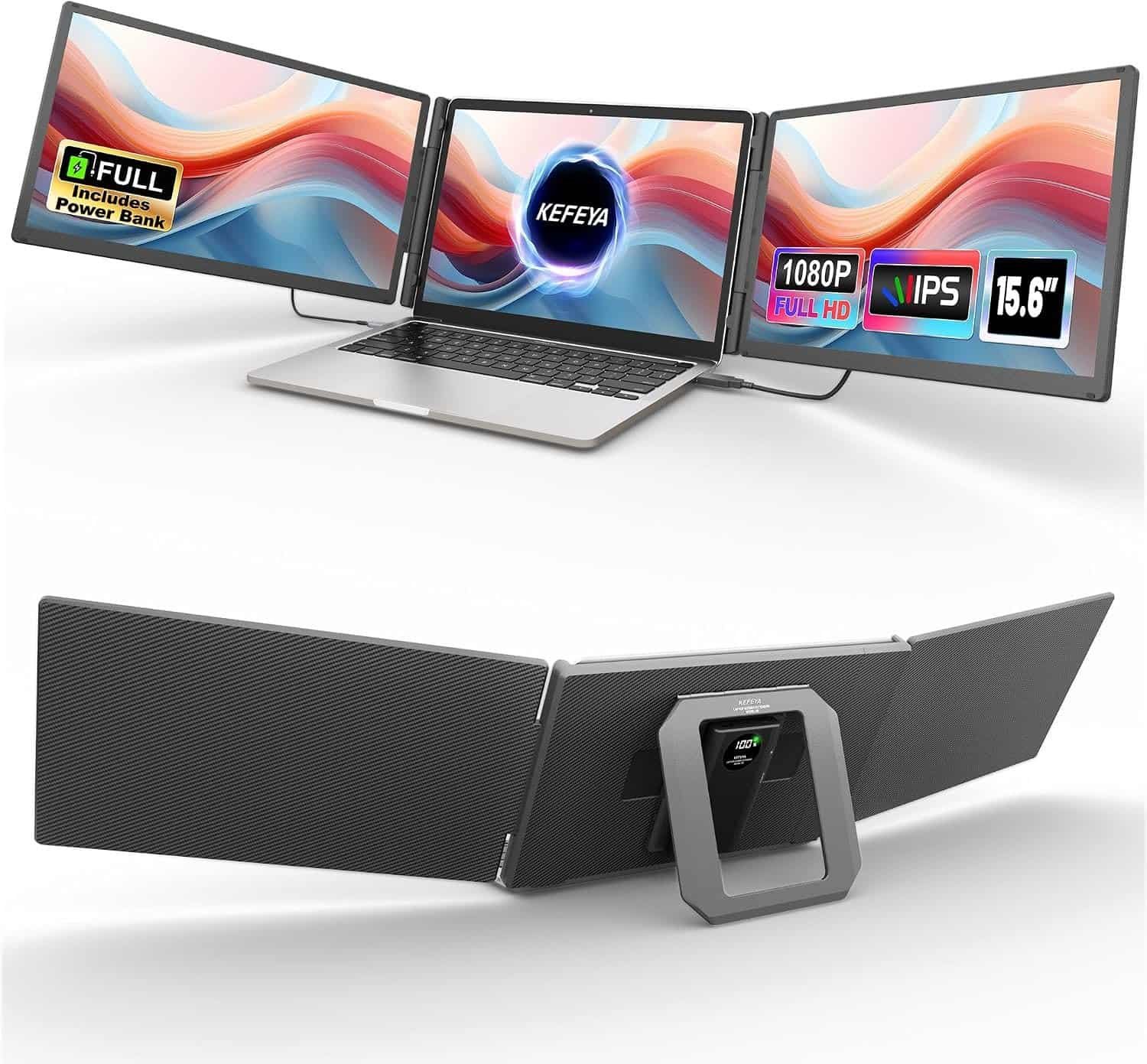
The KEFEYA 15.6-Inch Extender With Power Bank combines two large Full HD screens with additional power and connectivity accessories. The included power bank may help in situations where a laptop cannot provide enough power to run both panels reliably.
This can be useful when working from a hotel desk, shared workspace, temporary office, or another location where electrical outlets are limited. The listed HDMI, USB-A, USB-C, and hub connections also provide more setup options for laptops with different port configurations.
The two 15.6-inch displays create a spacious three-screen environment for financial work, content production, project management, software development, and research.
The tradeoff is portability. Two large displays, a frame, cables, a hub, and a power bank create a heavier package than a simple portable monitor. This option is better for users who value flexibility and screen size over minimalist travel.
Check airline rules before packing a lithium-ion power bank. Power banks generally need to travel in carry-on baggage rather than checked luggage.
 Key features:
- Dual 15.6-inch Full HD displays
- Included portable power bank
- HDMI, USB-A and USB-C connectivity
- Hub included with selected packages
- Compatible with multiple operating systems
Pros:
- Additional power source for mobile setups
- Large screens for serious multitasking
- Multiple connection methods
- Helpful for laptops with limited ports
Cons:
- Heavier and bulkier than other options
- More accessories and cables to manage
- Power-bank travel rules must be followed
Best for: Mobile professionals who want large displays and additional connection flexibility.
How to Choose a Triple-Screen Laptop Extender
Check Laptop Size and Thickness
Do not rely only on the advertised diagonal screen size. Measure the width, height, and thickness of your laptop lid. A thick gaming laptop or unusually narrow display may not fit a frame designed for conventional notebooks.
Confirm USB-C Video Support
USB-C describes the connector, not its capabilities. Look for DisplayPort Alt Mode, Thunderbolt, USB4, or another video-output specification. A USB-C data or charging port alone may not send a video signal.
Verify External-Display Limits
Some laptops cannot natively run two external displays. This limitation is particularly important with certain base-model Apple silicon MacBooks. Some extenders overcome it using DisplayLink or proprietary software, but that means installing a driver.
Consider Screen Size
A 14-inch extender is easier to carry, while a 15.6-inch system provides a larger workspace. Match the panel size to your travel frequency, laptop size, eyesight, and desk space.
Examine Stand Support
Dual screens place additional weight around the laptop. Choose a model with a stable kickstand or independent support structure. Do not allow the extender to pull backward on a lightweight laptop hinge.
Review Resolution and Panel Type
Full HD 1080p is a practical resolution for screens in this size range. IPS panels generally provide better viewing angles than basic TN displays. Color-critical users should treat advertised gamut figures cautiously unless independently verified.
Plan Cable Management
One USB-C cable per screen is the cleanest arrangement, but many users will need a mixture of USB-C, HDMI and USB-A power cables. Confirm that the package includes the cables required by your laptop.
How to Use a Triple-Screen Extender Productively
Place your main task on the laptop screen and supporting applications on the side panels. For example, a writer can keep the document in the center, research on the left, and communication tools on the right.
Position the panels so you can see them with small eye and head movements. Avoid turning your neck sharply for long periods. If the screens sit too low, place the entire setup on a stable laptop riser and use an external keyboard and mouse.
Match the scaling and brightness across all three displays. Perfect color matching may not be possible, but similar brightness levels reduce visual distraction.
Finally, close applications that do not contribute to the current task. More screen space improves organization only when it is used intentionally.
Frequently Asked Questions
What is a triple-screen laptop extender?
It is a system with two portable panels that sit beside your laptop display. Together, the laptop and two added monitors create three screens.
Do laptop screen extenders need drivers?
Some are plug-and-play on compatible video-capable ports. Others require DisplayLink or manufacturer software, especially when the laptop cannot natively drive two external displays.
Will a triple-screen extender work with a MacBook?
Some models do, but compatibility depends on the MacBook model, processor, operating-system version, ports, and driver support. Never assume that a macOS label guarantees two independent extended displays.
Can a laptop power both screens?
Some laptops can power both panels through USB-C. Others need supplementary USB power or an external adapter. High brightness can increase power consumption.
Are screen extenders good for gaming?
They are better suited to productivity than competitive gaming. Portable panels may have higher input latency, lower refresh rates, and less consistent color than dedicated gaming monitors.
Final Verdict
The Teamgee 14.2-Inch Laptop Screen Extender is our best overall choice because it balances screen size, portability, and connection options.
Choose the KEFEYA 15.6-Inch Detachable Extender when maximum display area is your priority. The FQQ S10 is well suited to remote-work stations, while the Ultra-Thin 14-Inch Extender is the strongest travel-focused option. The KEFEYA model with a power bank offers the most flexible setup for users working away from dependable power and ports.
Before buying, verify your laptop’s dimensions, external-display limit, USB-C video capabilities, and operating-system compatibility. The best laptop screen extender is not simply the largest—it is the model that connects reliably, travels comfortably, and supports your actual workflow.