Thunderbolt 5 represents the next generation of high-speed connectivity, delivering up to 120 Gbps bandwidth (Bandwidth Boost mode), significantly outperforming Thunderbolt 4 and USB4. Whether you’re a content creator editing 8K video, a software developer using multiple displays, or a professional looking for a clutter-free workspace, a Thunderbolt 5 docking station can transform your laptop into a powerful desktop workstation.
Today’s premium Thunderbolt 5 docks provide blazing-fast storage speeds, support for multiple high-resolution monitors, up to 140W laptop charging, 10Gb Ethernet, numerous USB ports, SD card readers, and seamless compatibility with the latest Windows PCs and Macs.
In this guide, we’ve selected the best Thunderbolt 5 docking stations based on performance, port selection, charging capabilities, display support, build quality, and overall value.
Table of Contents
Quick Comparison Table
| Product | Best For | Charging | Display Support |
|---|---|---|---|
| CalDigit TS5 Plus | Best Overall | Up to 140W | Multiple 8K Displays |
| Kensington SD5000T5 EQ | Best for Professionals | Up to 140W | Triple 4K / Dual 8K |
| OWC Thunderbolt 5 Hub | Best Compact Hub | Up to 140W | Multiple Displays |
| Plugable Thunderbolt 5 Dock | Best Value | Up to 140W | Dual 8K |
| Anker Prime Thunderbolt 5 Dock | Best Premium Design | Up to 140W | Triple Display |
1. CalDigit TS5 Plus
Best Overall
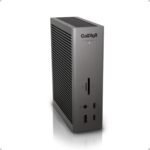
CalDigit has earned a reputation for building some of the best docking stations available, and the TS5 Plus continues that tradition. Designed for demanding professionals, it offers an extensive range of ports and exceptional Thunderbolt 5 performance.
 Key Features
- Thunderbolt 5 connectivity
- Up to 140W laptop charging
- Multiple Thunderbolt ports
- 10Gb Ethernet
- UHS-II SD & microSD readers
- USB-A and USB-C ports
- Audio in/out
Pros
- Exceptional build quality
- Huge port selection
- Excellent thermal management
- Perfect for creative professionals
Cons
- Premium pricing
2. Kensington SD5000T5 EQ
Best for Office Professionals
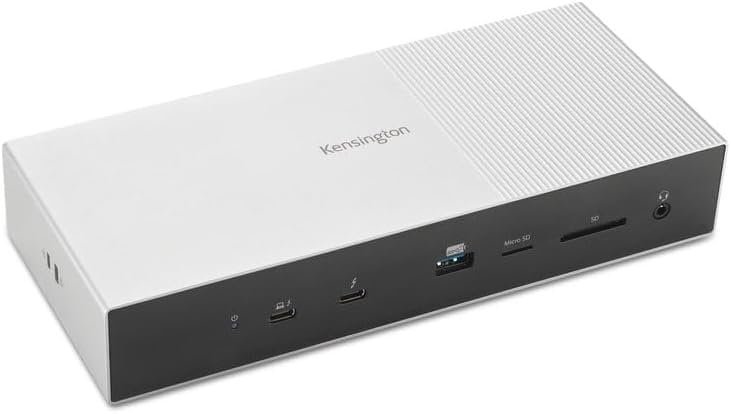
Kensington’s enterprise-grade dock is built for demanding office environments, offering impressive connectivity and reliable performance for multi-monitor workstations.
 Features
- Thunderbolt 5
- 140W Power Delivery
- 10Gb Ethernet
- Multiple USB ports
- DisplayPort outputs
- SD card reader
Pros
- Enterprise reliability
- Excellent display support
- Strong security features
- Durable construction
Cons
- Larger footprint
3. OWC Thunderbolt 5 Hub
Best Compact Option
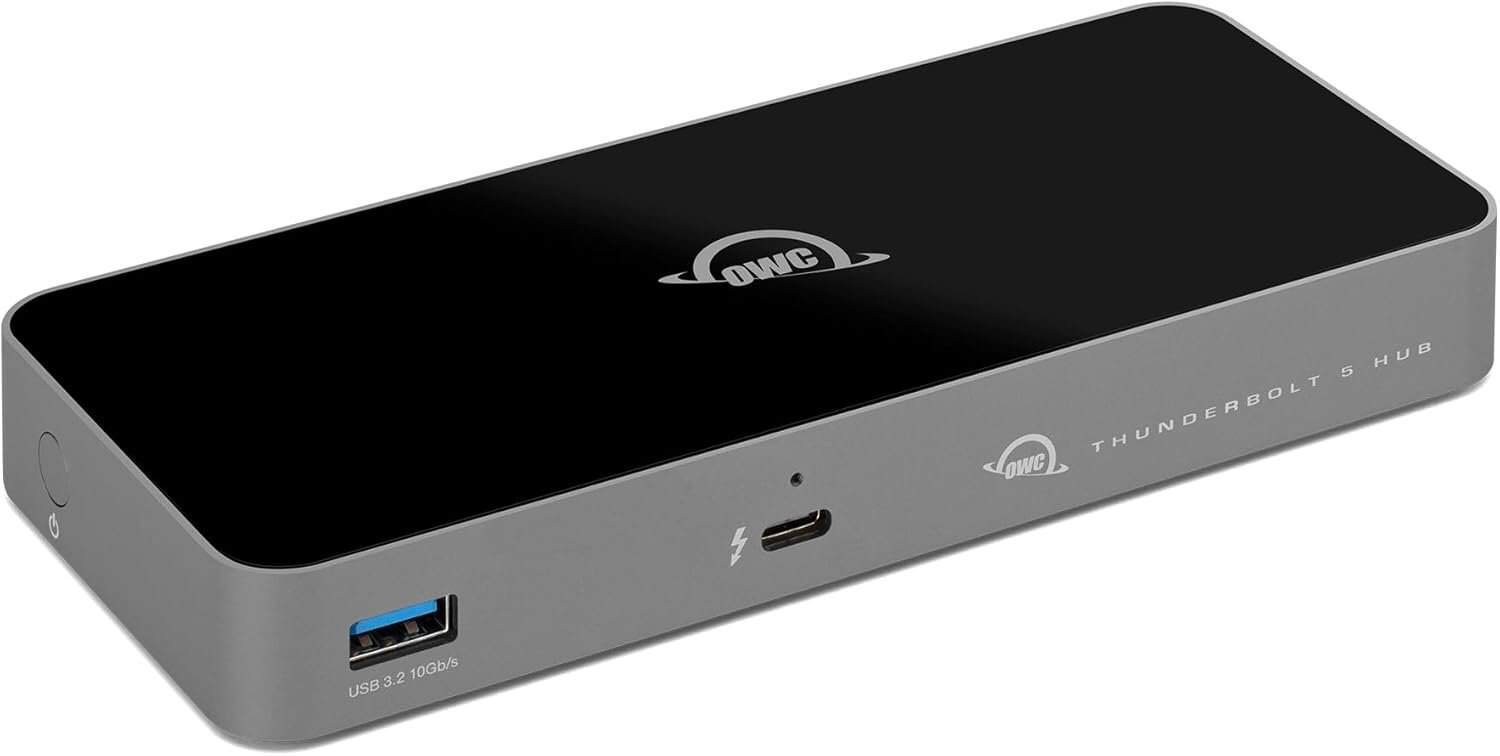
The OWC Thunderbolt 5 Hub is ideal for users who need powerful expansion without taking up much desk space.
 Features
- Multiple Thunderbolt 5 ports
- USB-C connectivity
- Compact design
- High-speed data transfer
- Daisy-chain support
Pros
- Small footprint
- Excellent performance
- Easy setup
- Reliable brand
Cons
- Fewer legacy ports than full-size docks
4. Plugable Thunderbolt 5 Dock
Best Value
Plugable consistently delivers dependable docking stations at competitive prices. Its Thunderbolt 5 dock balances affordability with premium features.
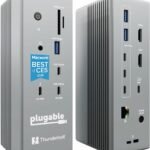 Features
- Thunderbolt 5
- USB-A and USB-C ports
- Ethernet
- SD card reader
- Display outputs
- Fast laptop charging
Pros
- Great value
- Easy installation
- Excellent compatibility
- Strong customer support
Cons
- Slightly fewer expansion ports
5. Anker Prime Thunderbolt 5 Dock
Best Premium Design
Anker is known for premium accessories, and its Thunderbolt 5 dock combines sleek aesthetics with excellent performance.
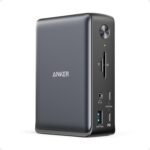 Features
- Thunderbolt 5
- Up to 140W charging
- High-speed USB ports
- Display outputs
- Ethernet
- Compact aluminum body
Pros
- Premium design
- Fast charging
- Quiet operation
- Excellent reliability
Cons
- Higher price
Why Upgrade to Thunderbolt 5?
Thunderbolt 5 offers substantial improvements over previous standards:
- Up to 120 Gbps bandwidth (Bandwidth Boost)
- Faster external SSD performance
- Multiple high-resolution displays
- Improved charging capabilities
- Better PCIe bandwidth for external GPUs and storage
- Reduced cable clutter
For professionals handling large files or multiple peripherals, these improvements can noticeably streamline daily workflows.
What to Look for in a Thunderbolt 5 Dock
Port Selection
Choose a dock with the connections you need, such as:
- Thunderbolt 5
- USB-C
- USB-A
- HDMI
- DisplayPort
- Ethernet
- Audio
- SD card readers
Laptop Charging
Many premium docks provide up to 140W Power Delivery, enough to charge most high-performance laptops while connected.
Monitor Support
If you use multiple displays, ensure the dock supports your desired configuration, whether that’s dual 8K or multiple 4K monitors.
Ethernet Speed
A 2.5Gb or 10Gb Ethernet port is ideal for creators transferring large files across a network.
Build Quality
Aluminum enclosures offer better durability and improved heat dissipation compared to plastic designs.
Who Should Buy a Thunderbolt 5 Dock?
Thunderbolt 5 docking stations are ideal for:
- Video editors
- Photographers
- 3D artists
- Software developers
- Financial professionals
- Remote workers
- Engineers
- Gamers
- Content creators
- Anyone using multiple monitors
Frequently Asked Questions
Is Thunderbolt 5 backward compatible?
Yes. Thunderbolt 5 supports many Thunderbolt 4, Thunderbolt 3, USB4, and USB-C devices, though performance is limited by the older device’s capabilities.
Do I need a Thunderbolt 5 laptop?
Yes. To take full advantage of Thunderbolt 5 speeds and features, your computer must include Thunderbolt 5 hardware.
Can Thunderbolt 5 docks power my laptop?
Most premium models provide up to 140W Power Delivery, which is sufficient for many modern laptops.
Are Thunderbolt 5 docks worth it?
If you frequently connect multiple displays, external drives, or other high-speed peripherals, a Thunderbolt 5 dock offers excellent convenience and future-proof performance.
Final Verdict
A Thunderbolt 5 docking station is one of the best upgrades for professionals who demand fast data transfers, powerful charging, and simplified connectivity. With support for ultra-high-resolution displays, advanced storage solutions, and extensive peripheral expansion, these docks help turn a laptop into a capable desktop workstation.
For most users, the CalDigit TS5 Plus is the standout choice thanks to its premium build, broad port selection, and exceptional performance. The Kensington SD5000T5 EQ is well suited for business environments, while the OWC Thunderbolt 5 Hub offers a compact yet powerful solution. Budget-conscious buyers should consider the Plugable Thunderbolt 5 Dock, and those looking for a sleek, premium design will appreciate the Anker Prime Thunderbolt 5 Dock.
Before purchasing, confirm that your laptop supports Thunderbolt 5 and choose a dock with the ports and display capabilities that best match your workflow. The right docking station can dramatically improve productivity while keeping your desk organized and ready for the future.