As laptops become thinner and more powerful, manufacturers continue reducing the number of built-in ports. While USB-C has become the standard for charging and connectivity, USB4 technology takes performance to the next level by offering faster data transfer, improved display support, and better compatibility with Thunderbolt devices.
Whether you’re a content creator editing 4K videos, a programmer working with multiple monitors, a business professional building a productive workstation, or a gamer looking for a clean desk setup, a USB4 docking station can transform your laptop into a full desktop workstation with a single cable.
The best USB4 docking stations provide high-speed data transfer up to 40Gbps, support dual or even triple external displays (depending on your laptop), deliver up to 100W of Power Delivery charging, and include a wide variety of ports such as HDMI, DisplayPort, USB-A, USB-C, Ethernet, SD card readers, and audio connections.
Instead of juggling multiple adapters every time you sit down at your desk, a USB4 dock lets you connect everything at once—from monitors and storage drives to keyboards, mice, printers, and wired internet.
In this guide, we’ve researched the Top 5 Best USB4 Docking Stations, comparing their features, performance, build quality, and value to help you find the perfect dock for your workspace.
Table of Contents
Quick Comparison Table
| Product | Best For | Max Resolution | Power Delivery | Ethernet |
|---|---|---|---|---|
| Anker Prime 14-in-1 USB4 Docking Station | Best Overall | Dual 4K / Single 8K | 160W Total (100W Laptop) | 2.5GbE |
| CalDigit TS4 | Best Premium | Dual 6K / Single 8K | 98W | 2.5GbE |
| Kensington SD5768T USB4 Dock | Best Business | Dual 4K | 100W | 2.5GbE |
| Plugable USB4 Docking Station (UD-4VPD) | Best for Multi-Monitor Setup | Dual 4K | 100W | Gigabit |
| Satechi USB4 Multiport Dock | Best for MacBook Users | Dual 4K | 100W | Gigabit |
Why Choose a USB4 Docking Station?
USB4 is built on the Thunderbolt protocol, delivering significantly higher bandwidth than older USB standards while maintaining excellent compatibility with USB-C devices.
A USB4 docking station allows you to:
- Connect multiple monitors
- Charge your laptop through one cable
- Transfer files at speeds up to 40Gbps
- Add additional USB-A and USB-C ports
- Connect wired Ethernet
- Read SD and microSD cards
- Reduce desk clutter
- Create a clean, professional workstation
If you frequently connect external devices or work with multiple displays, upgrading to a USB4 dock can dramatically improve your workflow.
Top 5 Best USB4 Docking Stations
1. Anker Prime 14-in-1 USB4 Docking Station
 Best Overall USB4 Docking Station
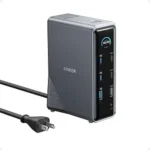
The Anker Prime 14-in-1 USB4 Docking Station offers one of the best combinations of performance, versatility, and reliability.
With support for dual 4K displays (or a single 8K display on compatible systems), multiple USB ports, SD card readers, and high-speed Ethernet, it easily handles demanding professional workflows.
Its sleek aluminum design also complements modern laptops while keeping your desk organized.
Key Features
- USB4 40Gbps connectivity
- Dual 4K display support
- 100W laptop charging
- 2.5 Gigabit Ethernet
- SD and microSD card readers
- Multiple USB-A and USB-C ports
Pros
✔ Excellent port selection
✔ Fast charging
✔ Premium aluminum construction
✔ Reliable performance
✔ Ideal for professionals
Cons
✘ Premium price
Best For
Professionals, remote workers, and content creators who need an all-in-one docking solution.
2. CalDigit TS4
 Best Premium USB4 Dock
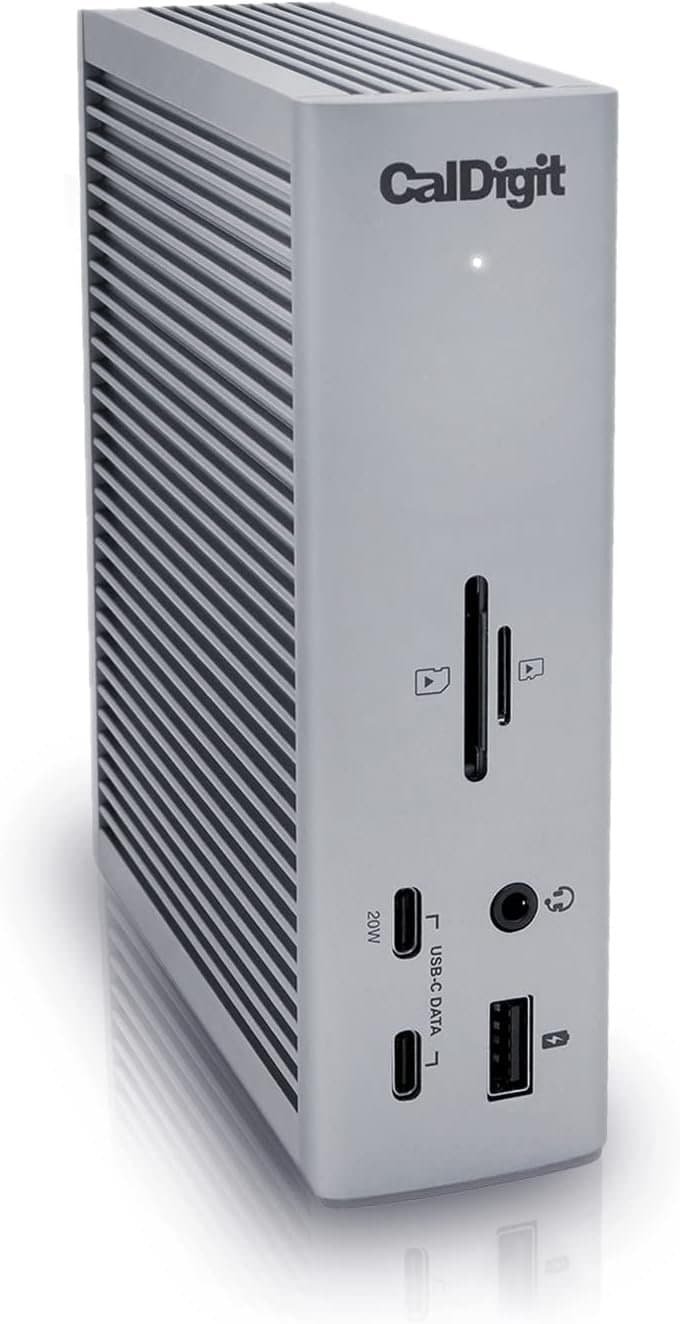
The CalDigit TS4 is widely regarded as one of the most powerful docking stations available.
Although commonly marketed as a Thunderbolt 4 dock, it also works with many USB4-enabled systems, offering exceptional bandwidth and connectivity.
With 18 ports, dual 6K display support, UHS-II SD card reader, and 2.5Gb Ethernet, it’s built for creative professionals and power users.
Key Features
- 18 connectivity ports
- USB4/Thunderbolt compatibility
- Dual 6K monitor support
- 98W Power Delivery
- 2.5 Gigabit Ethernet
- UHS-II SD card reader
Pros
✔ Outstanding build quality
✔ Massive port selection
✔ Extremely reliable
✔ Excellent performance
✔ Perfect for professional workstations
Cons
✘ Expensive
Best For
Video editors, photographers, software developers, and creative professionals.
3. Kensington SD5768T USB4 Dock
 Best for Business Professionals
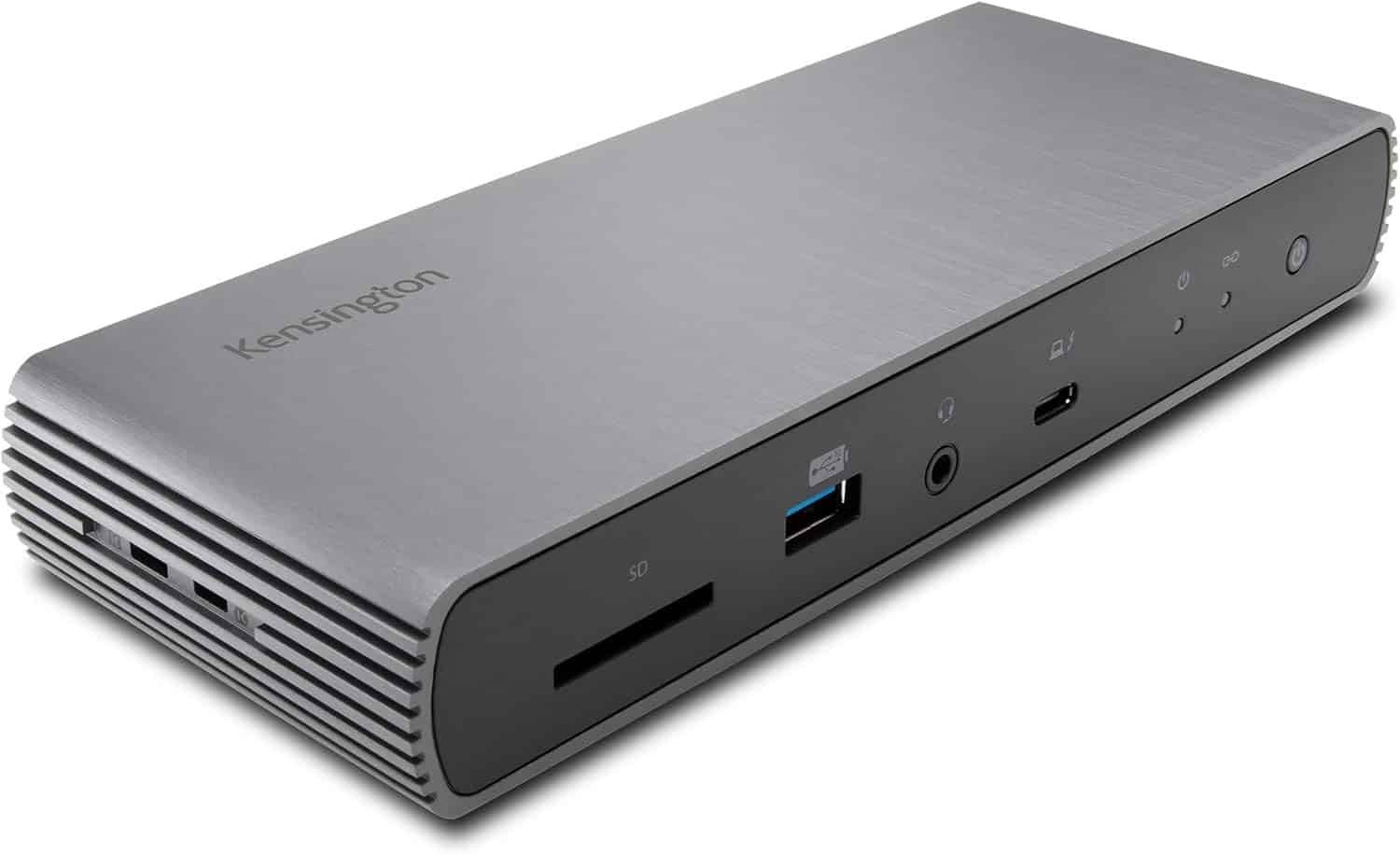
The Kensington SD5768T is designed for users who need enterprise-grade reliability.
It supports dual 4K displays, delivers up to 100W laptop charging, and includes a wide selection of USB ports along with 2.5Gb Ethernet for faster networking.
Its robust construction makes it ideal for corporate offices and hybrid work environments.
Key Features
- USB4 connectivity
- Dual 4K monitor support
- 100W charging
- 2.5 Gigabit Ethernet
- Multiple USB ports
- Kensington security slot
Pros
✔ Excellent reliability
✔ Professional build quality
✔ Fast networking
✔ Wide compatibility
✔ Strong charging performance
Cons
✘ Larger footprint
Best For
Corporate professionals and hybrid workers.
4. Plugable USB4 Docking Station (UD-4VPD)
 Best for Multi-Monitor Productivity
The Plugable UD-4VPD is ideal for users who rely on multiple external displays.
Supporting dual 4K monitors with USB4 bandwidth, it also offers multiple high-speed USB ports, Gigabit Ethernet, and Power Delivery charging.
Setup is straightforward, making it an excellent option for home offices and productivity-focused users.
Key Features
- Dual HDMI outputs
- USB4 40Gbps
- 100W charging
- Gigabit Ethernet
- USB-A and USB-C expansion
- Audio jack
Pros
✔ Excellent monitor support
✔ Reliable performance
✔ Easy plug-and-play setup
✔ Compact design
✔ Great value
Cons
✘ Fewer ports than premium models
Best For
Professionals using dual-monitor setups.
5. Satechi USB4 Multiport Dock
 Best for MacBook Users
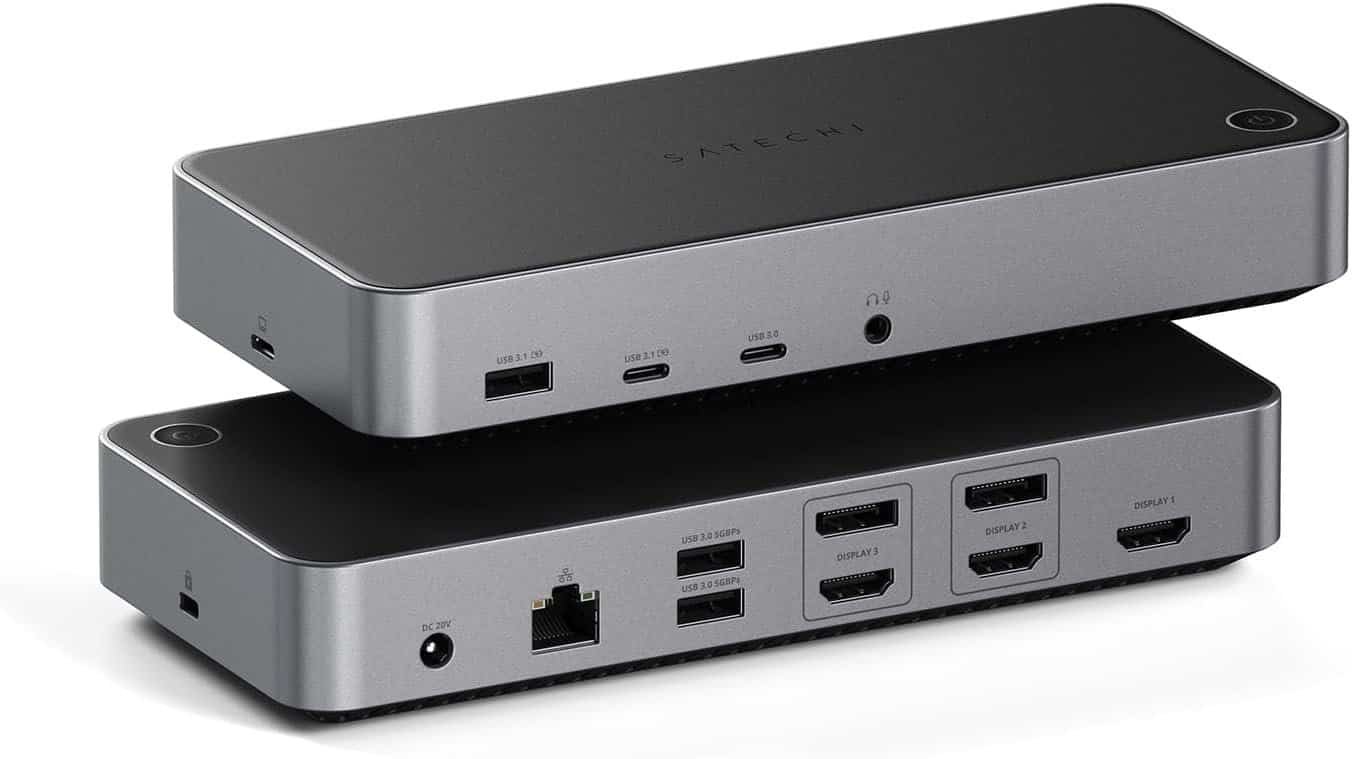
The Satechi USB4 Multiport Dock is a stylish, compact docking station designed with Apple users in mind.
Its premium aluminum finish matches MacBooks perfectly while delivering USB4 performance, dual-display support (where supported by the host device), high-speed USB connectivity, SD card readers, and Gigabit Ethernet.
Key Features
- USB4 interface
- Dual HDMI outputs
- 100W Power Delivery
- SD and microSD readers
- Gigabit Ethernet
- Premium aluminum design
Pros
✔ Beautiful design
✔ Excellent MacBook compatibility
✔ Lightweight
✔ Reliable charging
✔ High-speed data transfer
Cons
✘ Fewer USB ports than larger desktop docks
Best For
MacBook users, students, and traveling professionals.
Buying Guide: How to Choose the Best USB4 Docking Station
Choosing the right docking station depends on your laptop, monitor setup, and workflow.
1. USB4 Compatibility
Before purchasing, verify that your laptop supports USB4.
Most newer laptops powered by Intel Core Ultra processors, AMD Ryzen 7000/8000 series, and many Apple Silicon Macs support USB4.
2. Monitor Support
Different docks support:
- Single 4K
- Dual 4K
- Dual 6K
- Single 8K
Remember that your laptop’s graphics hardware may limit the number of displays it can drive, regardless of the dock.
3. Power Delivery
Choose a dock that provides enough charging power.
Recommended:
- 65W for ultraportables
- 90–100W for professional laptops
- Higher wattage if you connect many bus-powered peripherals
4. Port Selection
Look for:
- USB-C
- USB-A
- HDMI
- DisplayPort
- Ethernet
- SD card reader
- Audio jack
The more devices you use daily, the more ports you’ll appreciate.
5. Networking Speed
Most users will be satisfied with Gigabit Ethernet, but creative professionals transferring large files can benefit from 2.5Gb Ethernet for faster local network performance.
USB4 vs. Thunderbolt 4: What’s the Difference?
USB4 and Thunderbolt 4 share many similarities because USB4 is based on Thunderbolt technology. However, there are important differences.
USB4
- Up to 40Gbps bandwidth (device-dependent)
- Broad compatibility
- Usually more affordable
- Works with many USB-C devices
Thunderbolt 4
- Guaranteed 40Gbps bandwidth
- Stricter certification requirements
- Guaranteed support for specific display and PCIe capabilities
- Often found on premium laptops and docks
For most users, both standards provide outstanding performance, but Thunderbolt 4 devices may offer more consistent capabilities across certified hardware.
Benefits of Using a USB4 Dock
Cleaner Desk Setup
One cable connects your entire workstation.
Faster File Transfers
Move large files quickly using USB4’s high bandwidth.
Simplified Charging
Power your laptop and accessories simultaneously.
Better Productivity
Connect multiple displays and peripherals without repeatedly plugging in adapters.
Future-Ready Connectivity
USB4 is designed to support modern devices and upcoming hardware.
Frequently Asked Questions
Are USB4 docking stations worth buying?
Yes. They offer faster data transfer, improved display support, and simplified connectivity for users with compatible laptops.
Will a USB4 dock work with USB-C?
In many cases, yes. However, available features depend on your laptop’s USB-C implementation and supported protocols.
Can USB4 support dual monitors?
Yes. Many USB4 docks support dual 4K displays, although the exact capability depends on your laptop’s graphics hardware and operating system.
Is USB4 faster than USB 3.2?
Yes. USB4 can provide up to 40Gbps of bandwidth, significantly faster than USB 3.2 Gen 2 (10Gbps) and Gen 2×2 (20Gbps).
Do MacBooks support USB4?
Yes. Most recent MacBook Air and MacBook Pro models with Apple Silicon support USB4. However, external display support varies by chip, so check your specific model’s capabilities.
Final Verdict
The best USB4 docking stations deliver high-speed connectivity, powerful charging, and extensive port expansion for today’s laptops.
Our top recommendations are:
- Best Overall: Anker Prime 14-in-1 USB4 Docking Station
- Best Premium: CalDigit TS4
- Best for Business: Kensington SD5768T USB4 Dock
- Best for Multi-Monitor Productivity: Plugable USB4 Docking Station (UD-4VPD)
- Best for MacBook Users: Satechi USB4 Multiport Dock
Whether you’re building a home office, upgrading your creative workstation, or improving your hybrid work setup, these USB4 docking stations provide the performance and flexibility needed for a more productive workspace.
Conclusion
A USB4 docking station is one of the most valuable upgrades for anyone who relies on a laptop as their primary computer. With faster data transfers, robust charging, multi-monitor support, and expanded connectivity, it turns a single USB4 port into a complete desktop experience. Choosing one of the docks featured in this guide will help you create a cleaner, more efficient workspace that can keep up with your workflow today and remain ready for tomorrow’s devices.