Taking notes has come a long way from traditional notebooks. Whether you’re a student attending lectures, a professional managing meetings, or a creative brainstorming your next big idea, an E-Ink tablet offers the feel of writing on paper with the convenience of digital organization.
Unlike conventional tablets, E-Ink devices use electronic paper displays that are easy on the eyes, offer exceptional battery life, and minimize distractions by focusing on writing and reading rather than entertainment.
In this guide, we’ve reviewed the best E-Ink tablets for note taking available in 2026 based on writing experience, display quality, software features, battery life, and overall value.
Table of Contents
Quick Comparison Table
| Product | Display | Best For | Battery |
|---|---|---|---|
| reMarkable Paper Pro | 11.8″ Color E-Ink | Premium Note Taking | Weeks |
| Kindle Scribe (2024) | 10.2″ E-Ink | Reading + Notes | Months |
| BOOX Note Air 4C | 10.3″ Color E-Ink | Productivity & Android Apps | Weeks |
| Supernote A6 X2 Nomad | 7.8″ E-Ink | Writers & Portability | Weeks |
| Kobo Elipsa 2E | 10.3″ E-Ink | Students & PDF Annotation | Weeks |
1. reMarkable Paper Pro – Best Overall E-Ink Tablet
 Key Features
- 11.8-inch color Canvas display
- Near paper-like writing experience
- Ultra-low latency stylus input
- Cloud synchronization
- Excellent handwriting recognition
- Premium aluminum construction
- Weeks of battery life
Pros
✔ Incredible writing feel
✔ Premium design
✔ Outstanding organization tools
✔ Minimal distractions
✔ Great handwriting conversion
Cons
✘ Premium price
✘ Limited third-party apps
Why We Recommend It
If your primary goal is replacing paper notebooks, nothing currently matches the reMarkable Paper Pro. Its textured display closely mimics real paper, making note-taking feel natural and enjoyable. Students, professionals, and writers will appreciate the intuitive interface and distraction-free environment.
Best For: Professionals, executives, researchers, and serious note-takers.
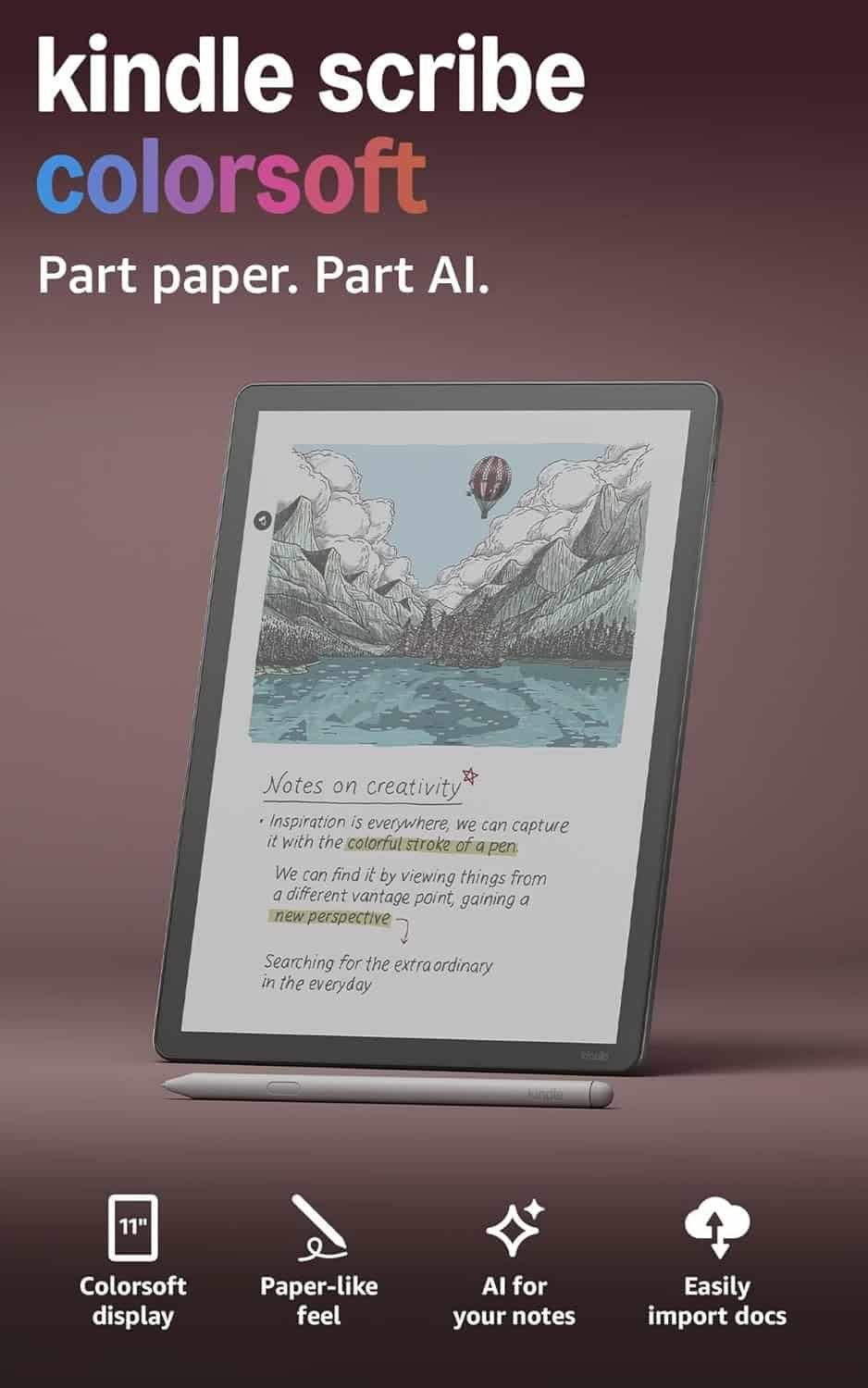
2. Amazon Kindle Scribe (2024) – Best for Reading and Note Taking
 Key Features
- 10.2-inch glare-free display
- Premium Pen included
- Active Canvas note integration
- Huge Kindle ecosystem
- Adjustable warm light
- Long battery life
Pros
✔ Excellent reading experience
✔ Great value
✔ Easy handwritten notes
✔ Huge ebook library
✔ Simple interface
Cons
✘ Limited productivity features
✘ Not ideal for advanced workflows
Why We Recommend It
The Kindle Scribe is perfect for users who spend equal time reading and writing. You can annotate books, PDFs, and documents while enjoying Amazon’s unmatched ebook ecosystem.
It’s an ideal choice for students, casual professionals, and avid readers who occasionally take notes.
Best For: Readers who want a notebook replacement.
link on price Amazon
3. BOOX Note Air 4C – Best for Productivity
 Key Features
- Android operating system
- Google Play Store support
- Color E-Ink display
- Split-screen multitasking
- Powerful note-taking app
- PDF annotation
- External keyboard support
Pros
✔ Install Android apps
✔ Highly customizable
✔ Fast performance
✔ Color display
✔ Excellent multitasking
Cons
✘ Learning curve
✘ More complex than competitors
Why We Recommend It
If flexibility matters more than simplicity, the BOOX Note Air 4C is hard to beat. Running Android means you can install apps like OneNote, Evernote, Dropbox, Google Drive, and Microsoft Office, making it a productivity powerhouse.
Best For: Professionals, engineers, researchers, and power users.
link on price Amazon
4. Supernote A6 X2 Nomad – Best Compact Digital Notebook
 Key Features
- 7.8-inch E-Ink display
- Ceramic nib stylus
- Outstanding handwriting feel
- Lightweight design
- Long battery life
- Excellent organization system
Pros
✔ Extremely portable
✔ Durable pen tips
✔ Great writing experience
✔ Fantastic notebook management
✔ Minimal distractions
Cons
✘ Smaller display
✘ No color screen
Why We Recommend It
The Supernote Nomad is designed for users who always carry a notebook. Its compact size fits easily into a backpack or handbag while offering one of the best writing experiences available.
Writers, journalists, and business travelers will especially appreciate its portability.
Best For: Everyday carry and mobile note-taking.
5. Kobo Elipsa 2E – Best Value for Students
 Key Features
- 10.3-inch E-Ink display
- Stylus included
- Dropbox integration
- PDF markup
- Comfortable reading experience
- Eco-friendly construction
Pros
✔ Affordable
✔ Great for PDFs
✔ Excellent battery
✔ Easy note organization
✔ Student-friendly
Cons
✘ Slower interface
✘ Limited app ecosystem
Why We Recommend It
Students often need to annotate textbooks, lecture slides, and PDFs. The Kobo Elipsa 2E offers an excellent balance of reading and writing capabilities at a competitive price.
Best For: College students and educators.
link on price Amazon
How to Choose the Best E-Ink Tablet for Note Taking
Display Size
- 7–8 inches: Highly portable for quick notes.
- 10–11 inches: Best balance for most users.
- 12 inches or larger: Excellent for PDFs, sheet music, and detailed diagrams.
Writing Experience
A quality E-Ink tablet should feel close to writing on paper. Factors to consider include:
- Screen texture
- Stylus latency
- Palm rejection
- Pressure sensitivity
- Pen comfort
Premium models like the reMarkable Paper Pro and Supernote excel in these areas.
Battery Life
One of the biggest advantages of E-Ink technology is efficiency. Most tablets last weeks on a single charge, and some can go even longer with moderate use.
Software Features
Look for features such as:
- Handwriting recognition
- Cloud synchronization
- PDF annotation
- Notebook organization
- Searchable handwritten notes
- Calendar integration
- Split-screen multitasking
Storage Capacity
If you work with large PDFs, research papers, or books, consider models with larger internal storage or cloud support.
Ecosystem
Some tablets prioritize simplicity, while others emphasize flexibility.
- reMarkable: Minimal distractions.
- Kindle Scribe: Reading-focused.
- BOOX: Android productivity.
- Supernote: Writing-first experience.
- Kobo: Reading and education.
Choose the ecosystem that best matches your workflow.
E-Ink Tablet vs iPad: Which Is Better?
Many buyers compare E-Ink tablets with traditional tablets like the iPad.
Choose an E-Ink Tablet If You:
- Take handwritten notes daily
- Read for long hours
- Want less eye strain
- Prefer distraction-free writing
- Need multi-week battery life
Choose an iPad If You:
- Need video editing
- Want gaming and entertainment
- Use creative apps like Procreate
- Require extensive multitasking
- Prefer a full-featured tablet
For pure note-taking, most users find E-Ink tablets more comfortable over long sessions.
Frequently Asked Questions
Are E-Ink tablets worth buying?
Yes. If you spend hours reading or writing, an E-Ink tablet offers a paper-like experience, excellent battery life, and significantly reduced eye strain compared with traditional LCD or OLED screens.
Can E-Ink tablets replace paper notebooks?
For many users, yes. Features like cloud syncing, searchable handwriting, notebook organization, and digital backups make them a practical replacement for paper notebooks.
Which E-Ink tablet is best for students?
The Kobo Elipsa 2E is a strong budget-friendly option, while the Kindle Scribe is ideal for students who read a lot. Those needing advanced productivity features may prefer the BOOX Note Air 4C.
Which E-Ink tablet feels most like writing on paper?
The reMarkable Paper Pro is widely regarded as offering one of the most natural paper-like writing experiences available.
Can I read PDFs on an E-Ink tablet?
Absolutely. Most modern E-Ink tablets support PDF viewing and annotation, making them excellent tools for reviewing research papers, contracts, lecture notes, and business documents.
Final Verdict
The best E-Ink tablet for note taking depends on your needs and budget.
- Best Overall: reMarkable Paper Pro
- Best for Reading & Notes: Kindle Scribe
- Best for Productivity: BOOX Note Air 4C
- Best Compact Option: Supernote A6 X2 Nomad
- Best Value: Kobo Elipsa 2E
Whether you’re replacing stacks of paper notebooks or looking for a distraction-free digital workspace, an E-Ink tablet can improve your productivity while providing a comfortable writing experience. Before purchasing, compare display size, writing feel, software features, and ecosystem compatibility to choose the model that best fits your workflow.